Introducing Support for Apache HugeGraph, GoogleSQL, SHACL Constraints, & More [gdotv v3.53.111 Release Notes]
![Introducing Support for Apache HugeGraph, GoogleSQL, SHACL Constraints, & More [gdotv v3.53.111 Release Notes]](https://gdotv.com/wp-content/uploads/2026/04/shacl-constraints-ontology-apache-hugegraph-google-sql-gdotv-release.jpg "Introducing Support for Apache HugeGraph, GoogleSQL, SHACL Constraints, & More [gdotv v3.53.111 Release Notes]")
Spring has sprung, and so has the newest version of gdotv!
This release is another big one, so let’s have a look at what’s been added:
- Apache HugeGraph support (for Gremlin and Cypher)
- Syntax validation, autocomplete and embedded language documentation for GoogleSQL
- SHACL constraints in ontology loading
…and plenty more features and improvements that you’ll discover as you scroll on down!
Apache HugeGraph Support
We’re excited to welcome Apache HugeGraph to the ever-growing family of graph databases supported by gdotv!
The Apache-licensed HugeGraph is an open source graph database designed for scale. It’s built to handle hundreds of billions of vertices and edges while still delivering millisecond-level query response times. This makes it well suited to demanding use cases like fraud detection, network security, knowledge graphs, and recommendation systems.
HugeGraph positions itself as a complete “full-stack” graph system covering database, computing, and AI all in one package. Now, place all of gdotv’s existing features alongside that, and the possibilities are, well… huge!

For gdotv users, one key detail worth celebrating is that HugeGraph natively supports both Gremlin and Cypher, and we’ve just added support for both. Whether you’re already comfortable with one query language or the other, you can connect and get to work straight away.
Take a look at how easy it is to get connected, plus a sneak peek of one of the other new features we’ll be mentioning below…:
GoogleSQL: Syntax Validation, Autocomplete & Embedded Docs
If you’ve used gdotv lately, you’ll likely be familiar with the syntax validation, query autocomplete, and embedded documentation offered for other graph query languages, and the benefits they bring.
With this release, we’re thrilled to have added that same support to GoogleSQL, meaning that querying your BigQuery Graph or Spanner Graph instances just got a whole lot easier!

Any syntax errors or warnings will be highlighted in real time, keeping you on track as you build your queries. Keywords and schema-specific labels and property keys will be smartly suggested as you type. And embedded documentation provides you with what is essentially an in-window manual for GoogleSQL.
All of these features help you streamline your graph database querying experience. Throw that on top of the reference panel’s recently added schema tab, and you should have all you need in one single gdotv query tab. Noice!
SHACL Constraints in Ontology Loading
We’re continuing to improve RDF support for gdotv, with another focus on ontologies this release.
For those less familiar with RDF, SHACL (Shapes Constraint Language) is a W3C standard that describes the rules your graph data is expected to follow. This includes things like which properties a node must have, what data types are allowed, and how many values a property can take. While an ontology defines the vocabulary of your data model, SHACL constraints define what valid data looks like within that model. Having both together gives you a much fuller picture of your triplestore’s structure.
With this gdotv release, SHACL constraints are now fetched automatically as part of ontology data model loading, so they’ll appear alongside your ontology statements in gdotv without any extra steps. This builds on last month’s release announcement, where we introduced the loading of ontology statements directly from your RDF triplestore.
Auto-Detect Label Display Rules
Another big addition to the Graph Labels and Styles panel is gdotv’s new auto-detection of label display rules:
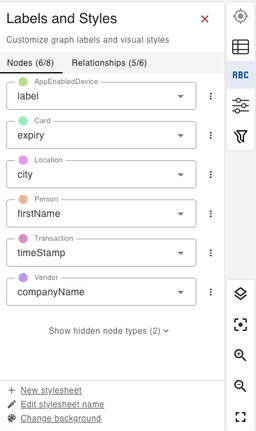
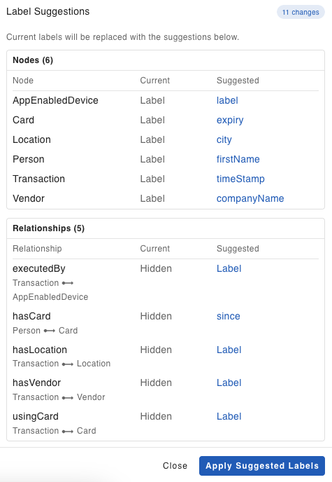
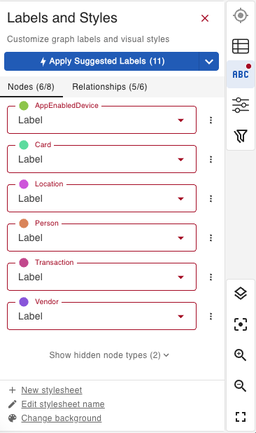
With one click, gdotv will take a first pass at applying what it thinks will be the most useful and relevant display label for each node and relationship in your graph. This considerably reduces your initial config time, letting you dive into analyzing your graph visualization results even faster.
Configurable Text-Length Limit on Graph Labels
This next update is a quality-of-life win for anyone working with verbose property values in their graph data.
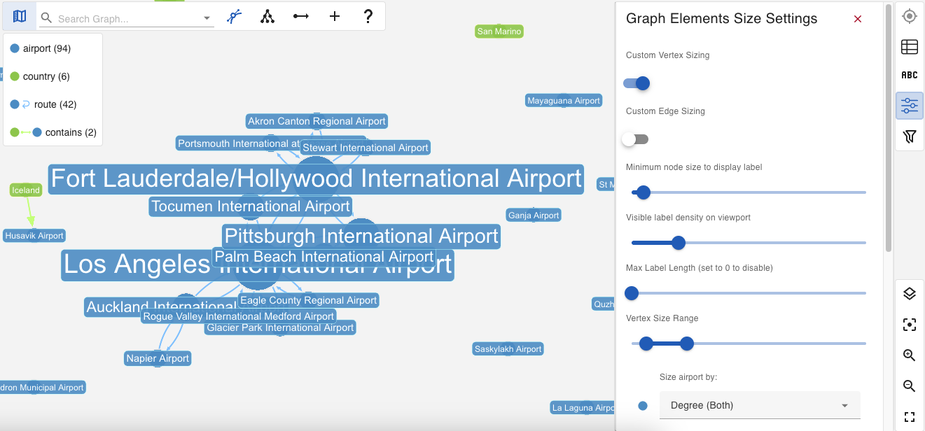
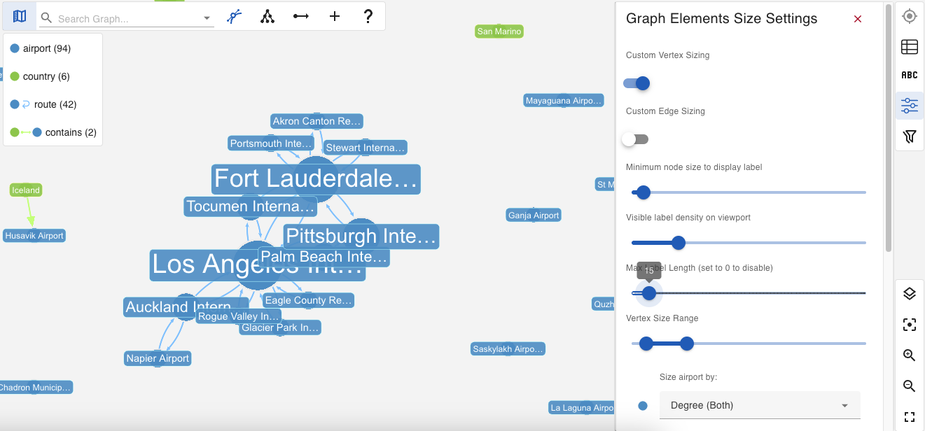
If you’ve ever had the problem of your graph display being crowded by long labels, the new configurable text-length limit on graph labels should free up some much desired space in your graph visualizations.
Just find the “Max Label Length” slider under Graph Elements Size Settings in the graph side panel, and set it to your desired length.
Neptune CALL Subquery Support
With this release, gdotv’s Cypher support now recognises the CALL subquery syntax for Amazon Neptune.
CALL subqueries allow you to run a self-contained query for each row in your outer query. This is useful for discovering things like the most recent transaction per card, or the top-rated vendor per region, without inner limits and orderings collapsing your entire result set.
This is (we hope) great news for Neptune users who write complex Cypher queries! Find out more from the Amazon Neptune docs.
UI Updates
As always, this release of gdotv comes with a number of improvements to the look and feel of the desktop app.
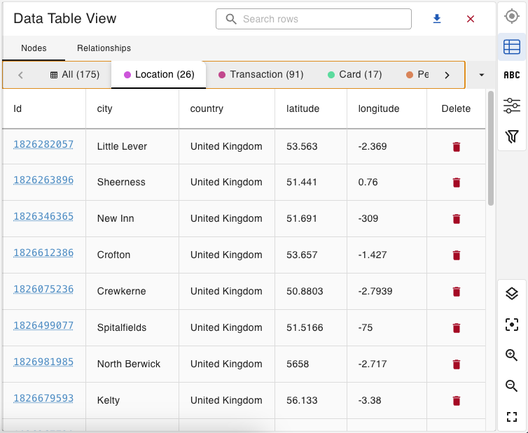
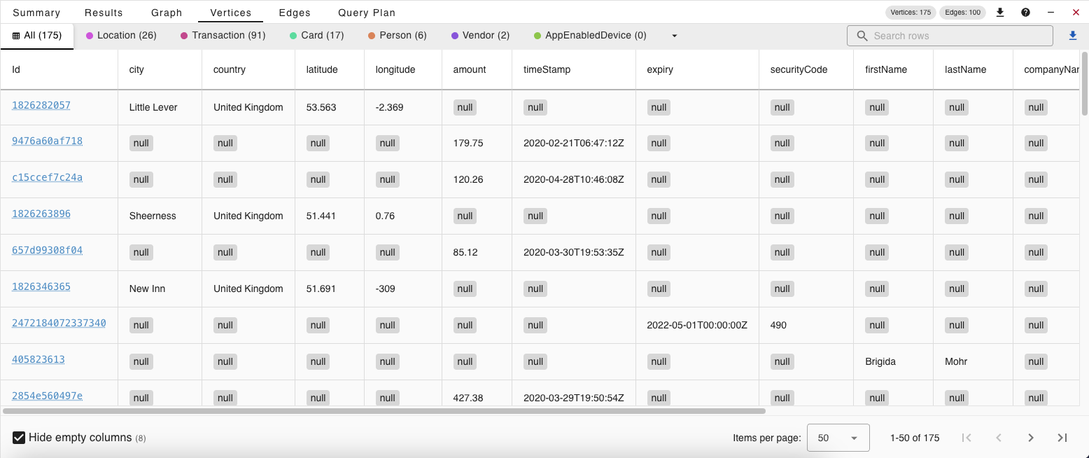
In this release, we’ve polished the Data Table View, found in the side panel of the graph display, making it easier than ever to gather information about the elements in your graph. A nice little bonus feature here is the automatic hiding of empty/null columns, which is a great way to de-clutter your results and only display the meaningful data.
This update is also reflected in the full-sized Vertices and Edges tabs.
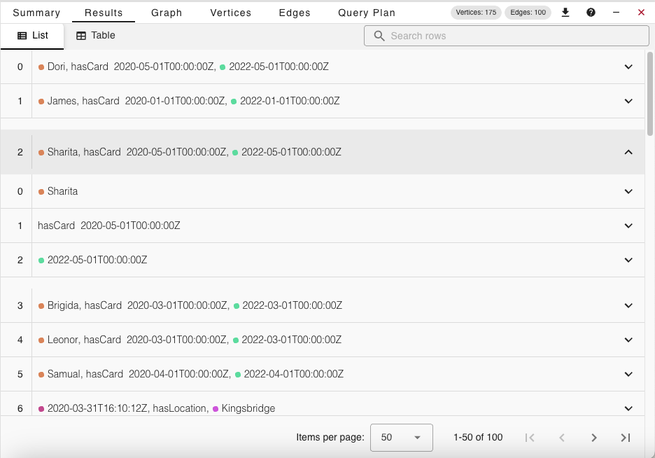
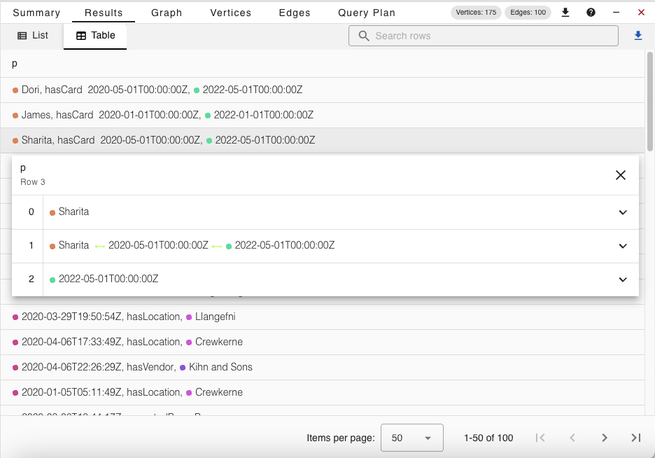
The Results tab has received a similar overhaul to both the List and Table views.
Conclusion
There you have it, another gdotv release packed with new features and improvements!
As always, we’re focused on making gdotv the best possible environment for working with graph data, regardless of which database or query language you’re using. Expect more new database support, further editor improvements, and continued RDF development in the coming releases. Until then…
What are you waiting for? Try out the latest version of gdotv and level up your graph game today.

![Evaluating Codebase-Oriented RAG through Knowledge Graph Analysis [Part 2]](https://gdotv.com/wp-content/uploads/2026/03/knowledge-graph-analysis-codebase-oriented-rag-part-2.jpg "Evaluating Codebase-Oriented RAG through Knowledge Graph Analysis [Part 2]")