Amazon Neptune IDE
& Graph Visualization Tool
Explore, query, and visualize your graph data in Amazon Neptune with gdotv.
A Purpose-Built IDE for AWS Neptune Developers
Spot trends, unravel networks, and highlight relationships with gdotv, a versatile graph database client for Amazon Neptune (and Amazon Neptune Analytics).
As one of Amazon Neptune’s official third-party graph visualization tools, gdotv integrates complements Neptune by providing a rich user experience to easily write and execute graph database queries – in Gremlin, Cypher, or SPARQL – then visualize, manipulate, and export the data across a variety of formats.
gdotv leverages the Neptune graph schema API and its own data model discovery engine to identify and display the structure of your graph database in seconds. It simplifies collaboration between developers, organizing and maintaining the structure of your Neptune data.
It’s secure, easy to install and configure, and runs locally on your enterprise network. You can install and set up gdotv to access your Neptune database endpoint in minutes, then create insightful graph visualization with just a few clicks.
 Amazon Neptune
Amazon Web Services, Inc.
Query languages supported by gdotv: Gremlin, Cypher, and SPARQL
Learn more about Amazon Neptune

Case Study:
EdTech Startup eLumen Uses gdotv to Increase Productivity & Improve Developer Experience
While working with Amazon Neptune, the eLumen team found Apache TinkerPop™ and the Gremlin query language had a high barrier to entry for developers unfamiliar with graph computing. Using gdotv helped new team members get up to speed quickly with existing traversals, visualize the problem domain, and drastically reduce ramp up time.
An Overview of Amazon Neptune
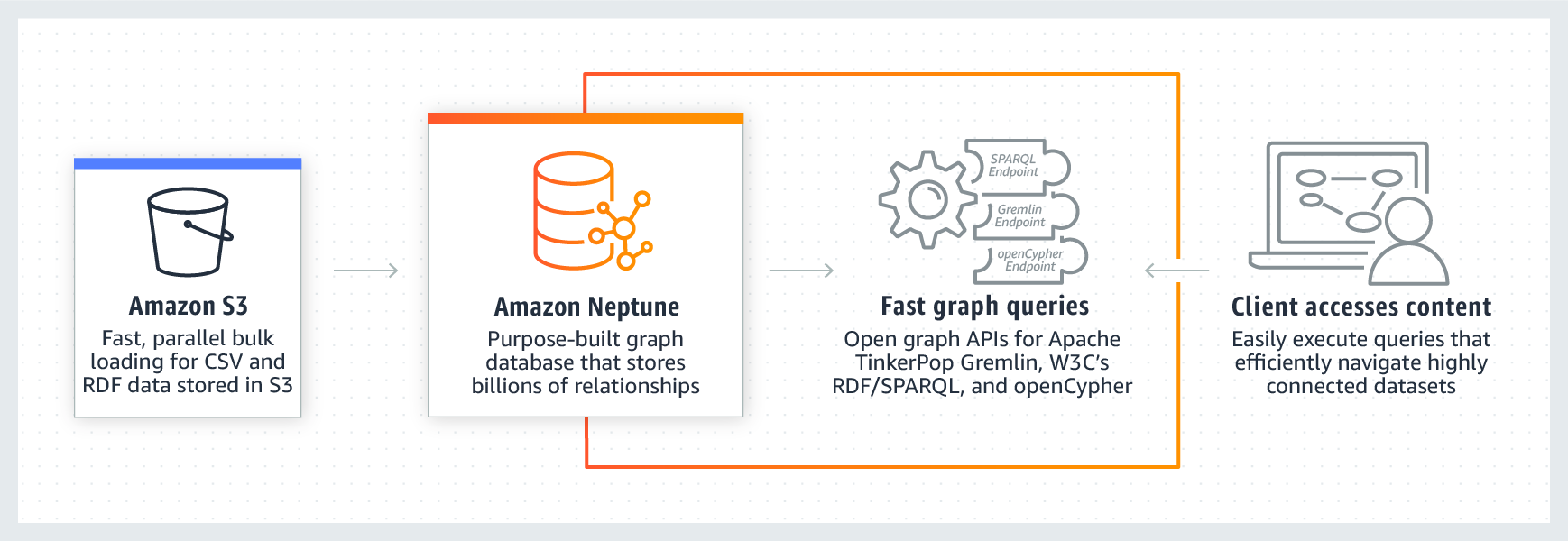
Amazon Neptune is a scalable, high-performance, AWS-managed enterprise graph database that allows users to build and analyze large volumes of data. It’s suited for highly connected datasets and offers millisecond-latency querying at a high throughput for the most demanding applications.
Neptune database supports mainstream labeled property graph (LPG) and Resource Description Framework (RDF) query languages: Apache TinkerPop’s Gremlin query language, W3C’s RDF query language, SPARQL, and Neo4j’s openCypher query language.
AWS offers machine learning prediction facilities using graph neural networks (GNNs) via Neptune which have shown to increase prediction accuracy by over 50% compared to non-graph based machine learning methods.
Neptune has a small range of official third-party tools – including gdotv – providing you with a wide array of services to create your graph applications.
gdotv is optimized for the AWS Neptune database to provide state-of-the-art query development facilities and data visualization tools. Using gdotv, you can leverage Neptune’s additional APIs with just a few clicks, no code required.
AWS Identity & Access Management (IAM) Authentication Support
Use of AWS IAM Authentication is key to securing your AWS resources. Depending on your setup, your Neptune graph database might require additional configuration or code to access its data and API resources.
gdotv lets you manage AWS IAM authentication to your graph instance seamlessly by using a range of intuitive configurations, leveraging the AWS CLI or just static IAM credentials.
IAM authentication is also supported on gdotv to consume some of Amazon Neptune’s additional APIs without the need for complex request signing code.
You can even integrate gdotv with AWS IAM Identity-Center via the AWS CLI to prompt for authentication when temporary credentials are missing or need to be renewed. This gives your users access to the most secure and user-friendly authentication experience.
What’s Possible with Amazon Neptune + gdotv
Profile, Optimize, & Investigate Slow-Running Queries with gdotv
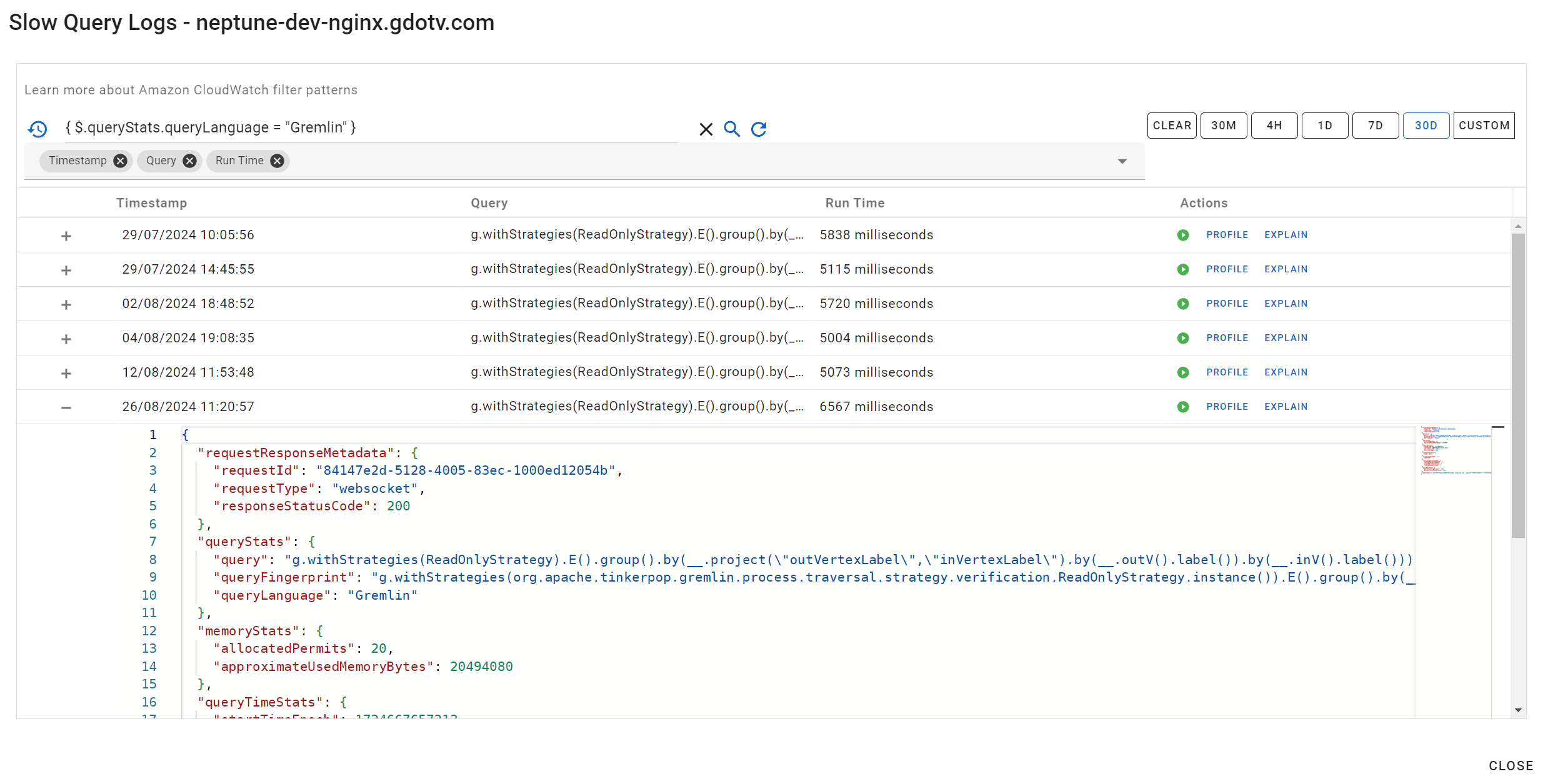
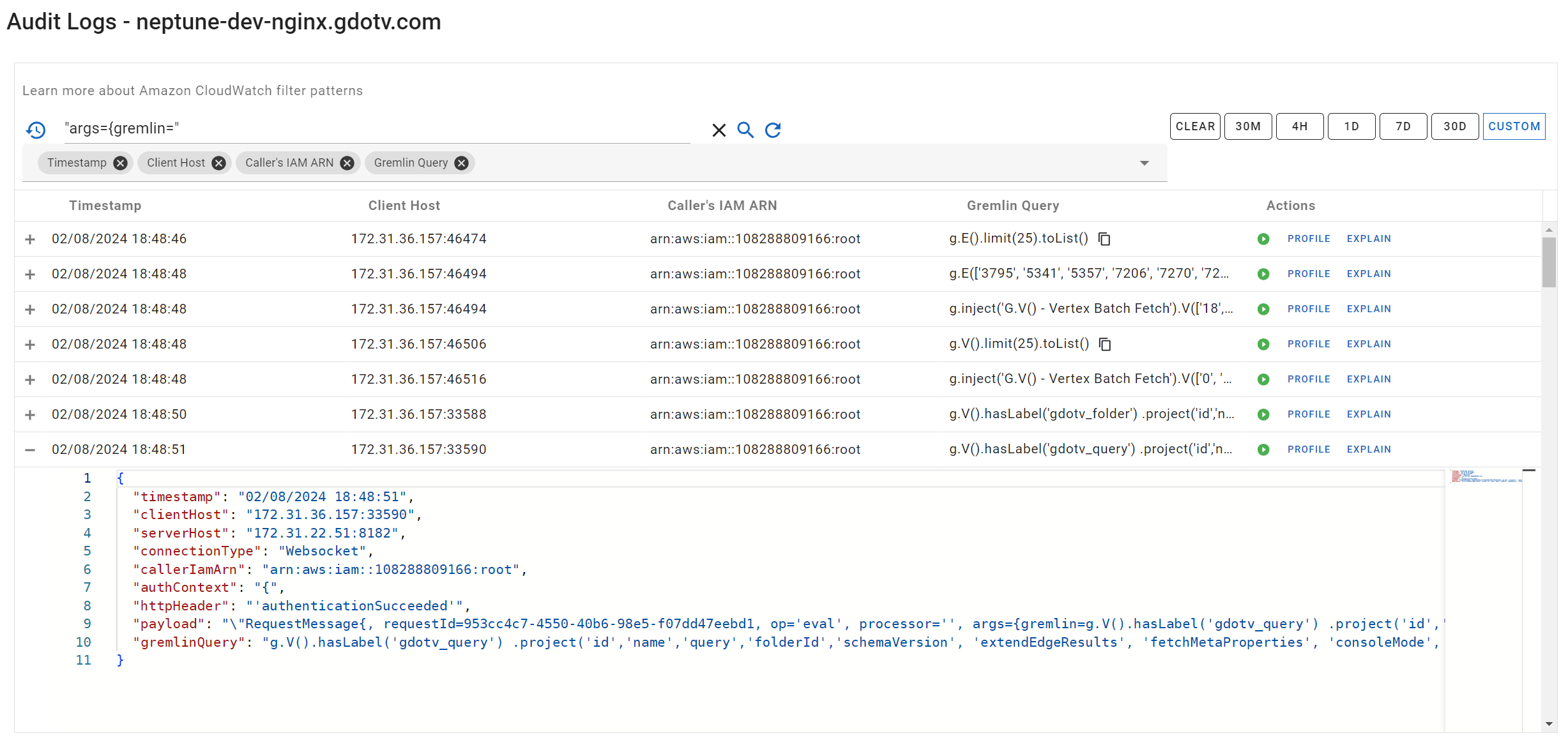
Access your Amazon Neptune Slow Query or Audit Logs directly via gdotv’s rich user interface. gdotv allows you to generate query profiles and traversal explanations in just one click from Amazon Neptune’s API, enabling you to fully investigate performance issues in your database queries.
With gdotv’s Slow Query and Audit Logs component, you can search, filter, and sort queries executed on your Amazon Neptune endpoint and either view execution metadata in a user-friendly format or re-run the query in just one click.
Get Query Profiles & Traversal Explanations from the Neptune API in 1 Click
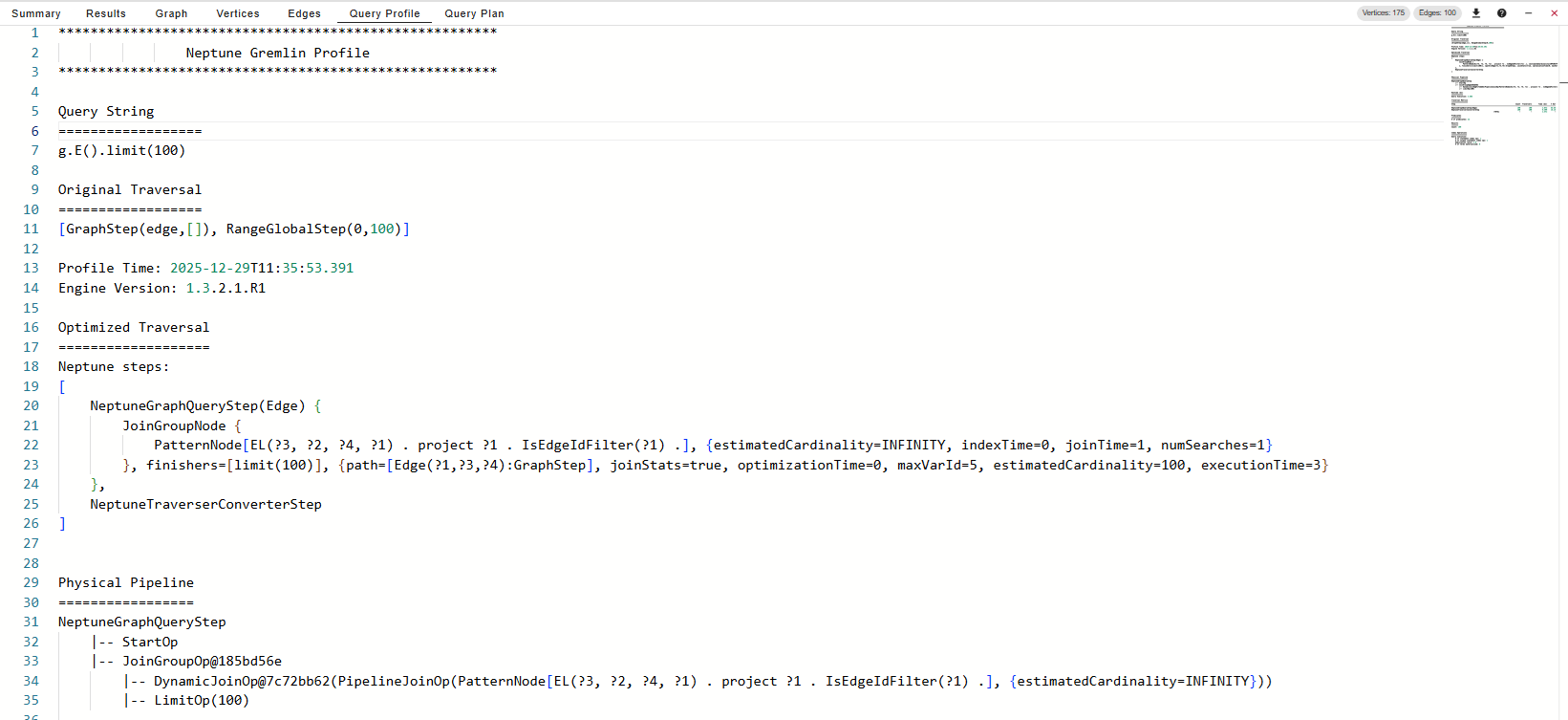
The Amazon Neptune explain and profile API provides in-depth information about the query plan and its performance. These features allow you to identify potential bottlenecks and inefficiencies in your queries.
These APIs require that you submit requests manually via command line, which can make consuming the API challenging, especially with IAM authentication enabled.
Integrating the gdotv graph database client with the official AWS command-line interface makes using this essential feature simple by offering one-click Profile and Explain query output tab. This enables you to further optimize complex Gremlin or Cypher queries with AWS Neptune’s profiling and traversal features. The gdotv graph visualization tool submits your Neptune Gremlin query to the respective API and displays the results in a modern code editor.
gdotv also translates Gremlin queries ending with the .profile() or .explain() steps into their API call counterparts to retrieve query execution plans, without you ever needing to construct and execute your own Neptune API call.
Plug-and-Play Connection to Your Database Endpoints
You can configure multiple Amazon Neptune graph endpoints on gdotv, allowing you to run and compare query outputs from multiple graph databases or environments. Additionally, gdotv is fully compatible with a wide variety of Apache TinkerPop-enabled graph systems, meaning you can seamlessly switch between locally hosted Gremlin endpoints and your AWS Neptune instances.
The gdotv connection configuration solution walks you through integrating with your database step-by-step and will get you set up to query and visualize your graph database in minutes.
Query History Tracking

With the query history tracking feature, you can easily view and navigate previous queries run in your query editor.
Combined with gdotv’s AWS Neptune Audit API integration, you can analyze queries previously run on your endpoint by other consumers of your data and re-run or profile them in one click.
Easy Installation & Setup
Effortlessly integrate gdotv with your AWS Neptune graph database with a simplified plug-and-play database connector. The gdotv database client provides straightforward database connection and configuration instructions to get you started in less than a minute.
This AWS Neptune IDE is available to download for Windows, macOS, and Linux with a one-click installer to get you started instantly.

Centralized Connection Management
gdotv can be used to query and compare data from a huge range of graph database vendors – simultaneously! We don’t just work with AWS Neptune: gdotv data visualization tools fully integrate with various other graph technologies, including all Apache TinkerPop™ compatible graph databases and most LPG and RDF providers.
gdotv is fully compatible with query languages like Gremlin, Cypher, Google SQL, SQL:2023, SPARQL and more. Using an intuitive UI, you can switch between your connections and queries seamlessly.
Customizable Data Visualization
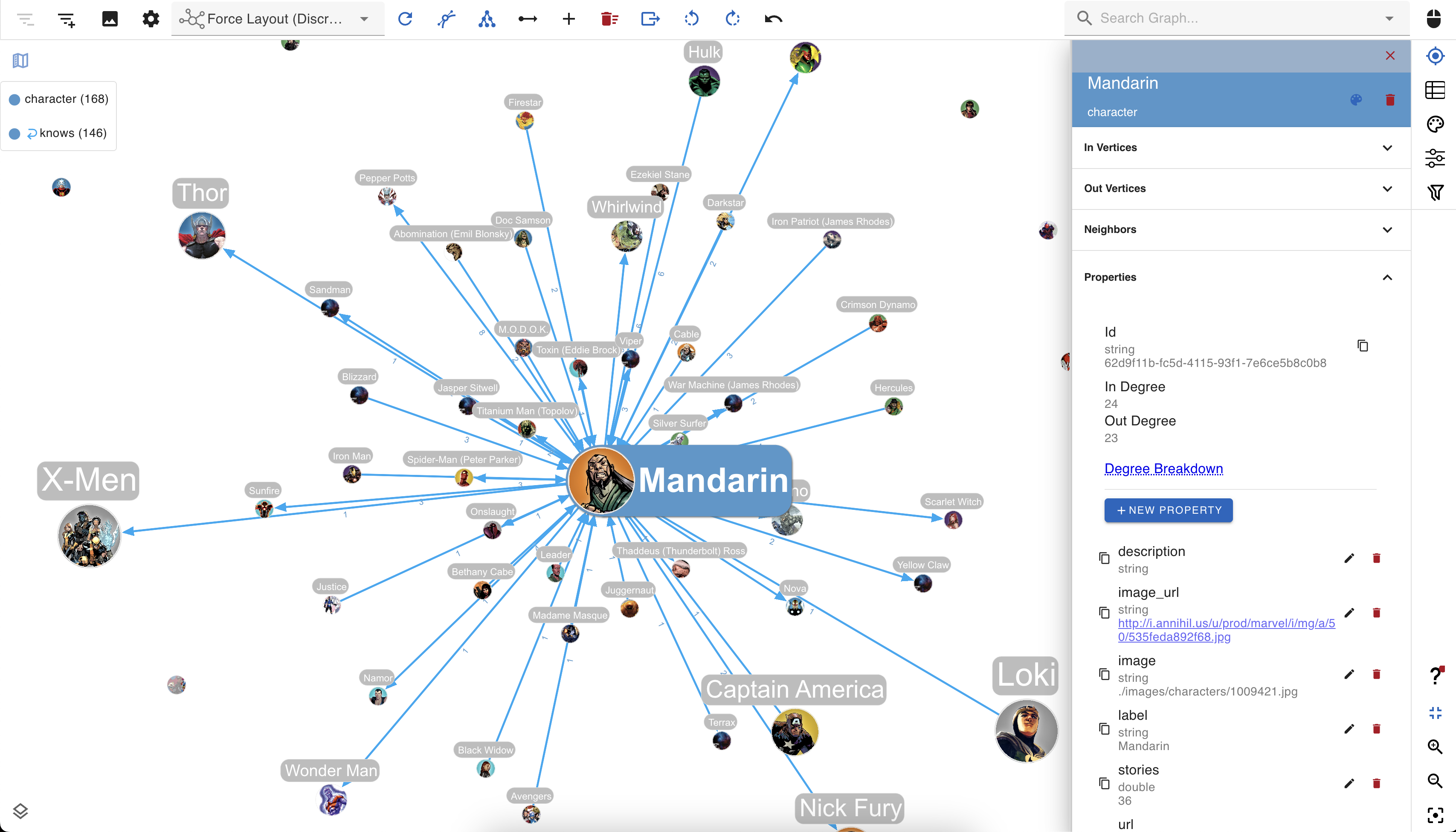
You can create custom visualization rules for your Neptune graph database with gdotv to determine the look and feel of your data.
The gdotv database client boasts easy-to-configure style options that you can use to customize vertices and edges based on their labels and property values.
You can choose any color, size, or background image and adjust other elements to match your preference.
No-Code Data Exploration with the gdotv Graph Data Explorer


Use the built-in gdotv Graph Data Explorer to navigate your Amazon Neptune data without using queries.
The Graph Data Explorer allows you to define path patterns to query from your data, using filters on both your vertices and edges. You can filter the elements in the declared path according to their label, direction, and property values, allowing you to perform complex path pattern searches with no code.
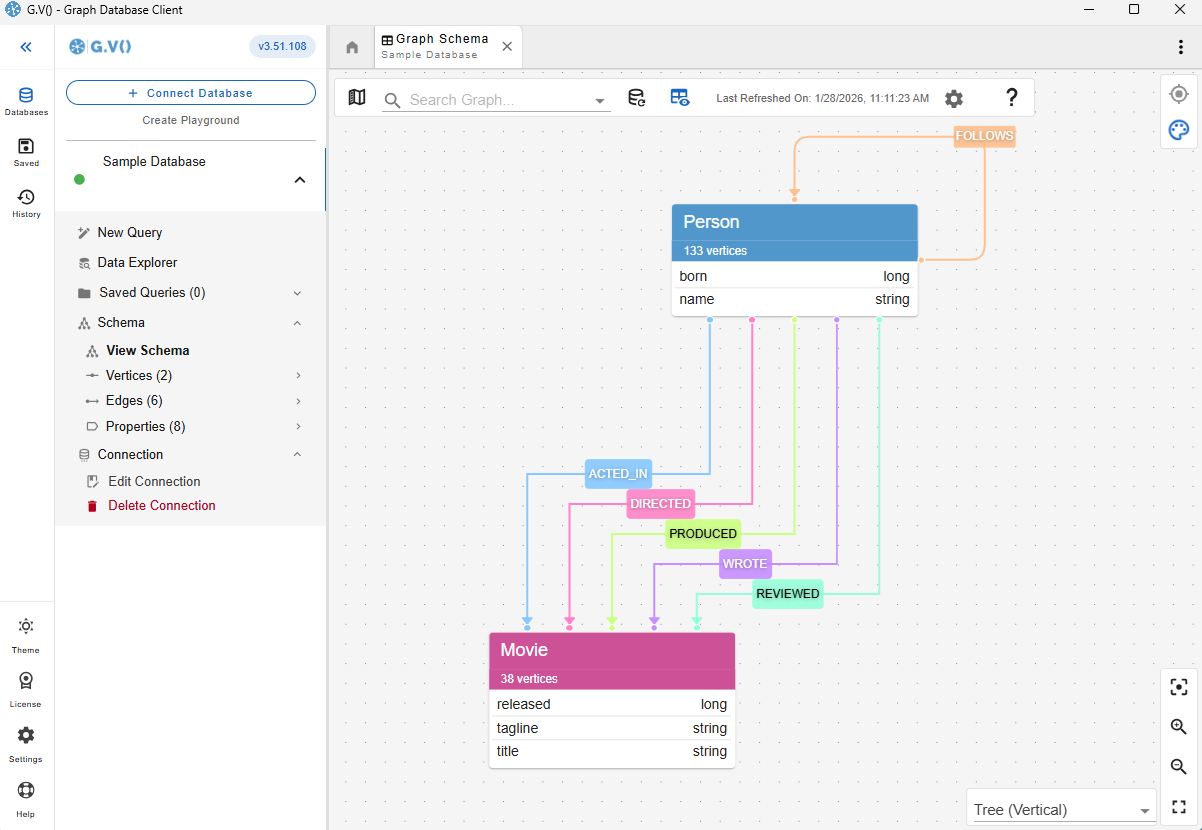
Instantly Load & View Your Data Model
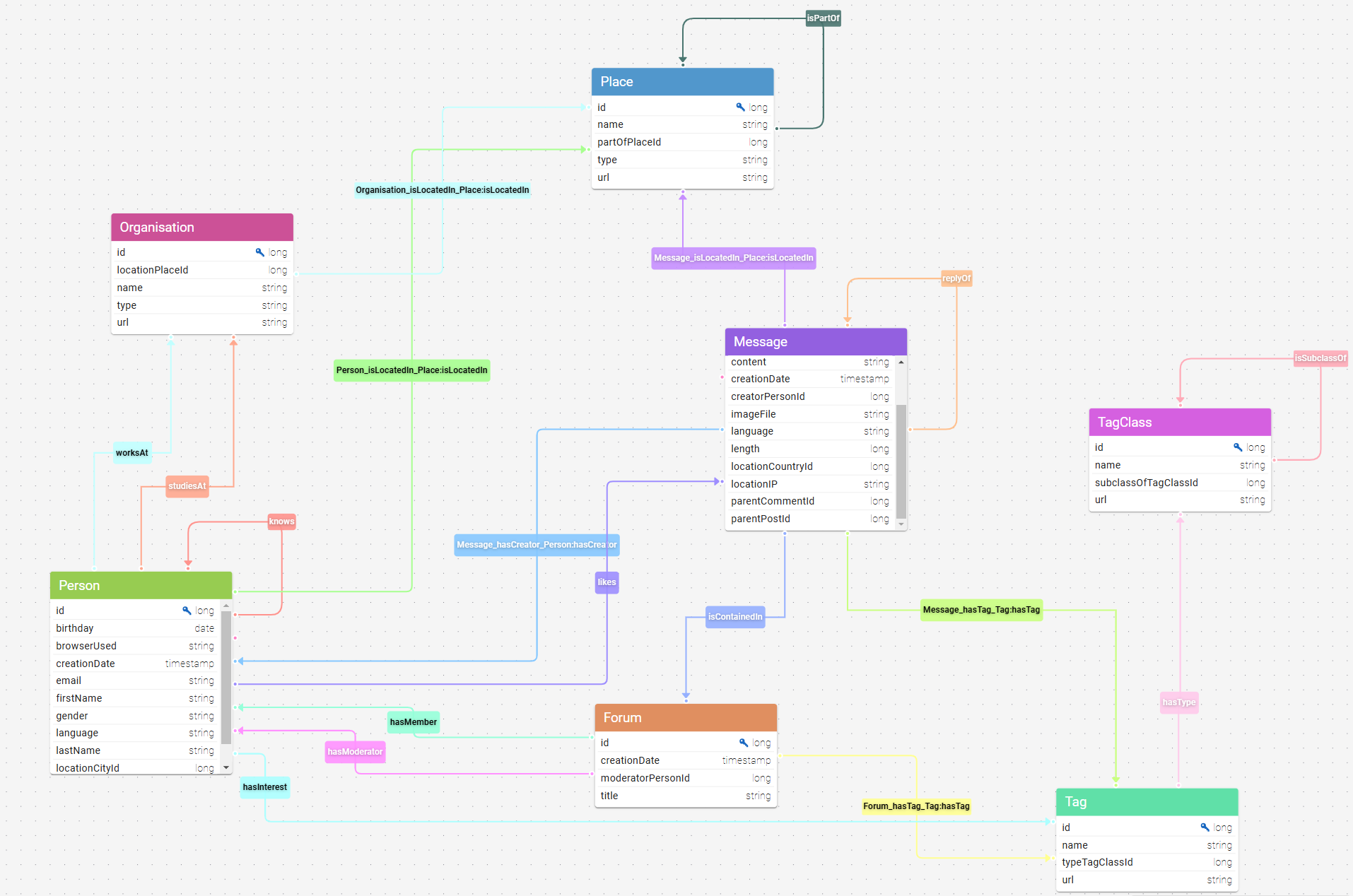
Understanding and verifying your data schema is critical component of graph management. This is why gdotv provides an overview of your data structure with the data model view.
For Amazon Neptune, there is no need to provide a data model, as gdotv is able to infer the schema directly from the data itself. This is always just a click away, meaning that you always have an bird’s-eye view of your vertices, edges, and properties right at your fingertips.
Modify Your AWS Neptune Graph Data Directly within gdotv
Want to adjust something in your graph? Take a hands-on approach and manage your Amazon Neptune graph directly.
Using gdotv, you can directly create, modify, and delete the edges and vertices – as well as modify the properties associated with them – allowing you to make changes on the fly.
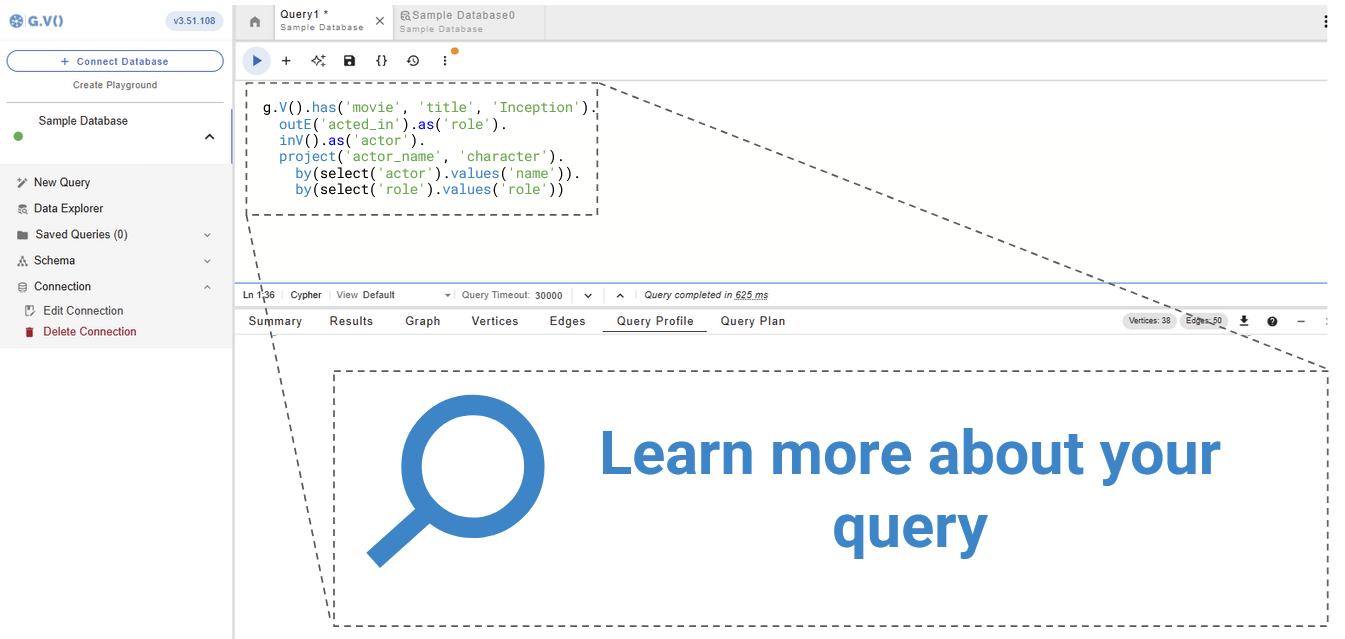
Get Query Profiles & Traversal Explanations in 1 Click
A query execution plan provides a roadmap for how your query will be executed, while query profiles provide a runtime report of how they performed. Both ensure efficient use of your graph database.
gdotv pulls the query plan from your AWS Neptune database’s own functionality and displays the results, giving you instant feedback on query execution and performance.
Take Advantage of Syntax Validation

Using gdotv language highlighting and syntax checking for Gremlin and Cypher makes your code easier to understand and visually parse, warning you of any error that would prevent it from executing against your Amazon Neptune instance.
Test Amazon Neptune Queries with the gdotv Debugger
The combination of the gdotv query debugging and profiling toolkit gives you unparalleled control to inspect the behavior and output of your graph traversals with just a few clicks.


State-of-the-Art Gremlin and Cypher Editor
The gdotv Gremlin and Cypher code editors are the most powerful available – each editor offers data schema-accurate auto completion and embedded official documentation for Gremlin and Cypher to give you all the information and suggestions you need to write your queries faster and more effectively.
AWS Neptune + gdotv Blog Posts
![gdotv Adds Multi-Graph Connections & Automatic Data Models [v3.74.142 Release Notes]](https://gdotv.com/wp-content/uploads/2026/08/multi-graph-connections-automatic-data-models-gdotv-v3-74-142-release-notes-banner-1024x768.webp "gdotv Adds Multi-Graph Connections & Automatic Data Models [v3.74.142 Release Notes]")
Frequently Asked Questions (FAQs)
gdotv: The AWS Neptune IDE
Turn your graph data into connected insights when you use gdotv to query, explore, and visualize your Amazon Neptune graph database.
Sign up for a free trial today and discover how gdotv amps up your productivity as the perfect Amazon Neptune IDE and graph visualization tool.
Or, prefer to talk with the gdotv team directly? Use the form below to get in touch.