
Aerospike Graph IDE
& Graph Visualization Tool
Explore, query and visualize your graph data in Aerospike Graph with gdotv.
A Purpose-Built IDE for Aerospike Graph Developers
Aerospike is a multi-model, NoSQL database with a unique architecture that can store petabytes of data and serve millions of transactions per second. It also boasts the following benefits:
-
Highly scalable
-
Low cost of ownership
-
Developer-ready
-
Easy to program
-
Real-time data access
Aerospike Graph is part of this multi-model offering and delivers milliseconds response for multihop queries, even for graphs scaling in the billions of elements. It launched with gdotv as its recommended graph visualization software.
Using gdotv, easily connect to your Aerospike Graph database, then perform essential day-to-day graph database development and management tasks such as:
-


Write and run Gremlin queries with our smart editor, then analyse the results using various visualization formats
-
Discover and visualize your graph data schema
-
Import and modify data interactively
-
Debug, profile, and optimize queries
 Aerospike Graph
Aerospike
Query languages supported by gdotv: Gremlin
Learn more about Aerospike Graph
An Overview of Aerospike Graph
Aerospike Database is a high-performance, real-time NoSQL database, designed for those requiring low latency and high availability. Aerospike Graph is a distributed graph database purpose-built for large scale workloads. It offers reliable, predictable performance for applications where stability and efficiency are not negotiable. In their own words: “Aerospike is the database built for infinite scale, speed, and sustainability.”
Aerospike Graph’s interface operates through the Apache TinkerPop framework and takes advantage of the Gremlin query language. Graph elements are stored within the Aerospike Database, with a data model that ensures predictability and consistency. Graph traversals are scalable and can be carried out over billions of elements. The framework is optimized for OLTP queries with extreme throughput, capable of sustaining hundreds of thousands of queries per second.
Aerospike’s applications include identity and access management (IdAM), fraud detection, advertising tech, and applications requiring massive amounts of real-time data.
What’s Possible with Aerospike Graph + gdotv
Easy Installation & Setup

Effortlessly integrate gdotv with your Aerospike Graph graph database with a simplified plug-and-play database connector. The gdotv database client provides straightforward database connection and configuration instructions to get you started in less than a minute.

This Aerospike Graph IDE is available to download for Windows, macOS and Linux, with a one-click installer to get you started instantly.
State-of-the-Art Gremlin Editor

The gdotv Gremlin code editor is the most powerful available – it offers data schema-accurate auto completion and embedded official documentation for Gremlin to give you all the information and suggestions you need to write your Aerospike Graph queries faster and more effectively.
Customizable Data Visualization
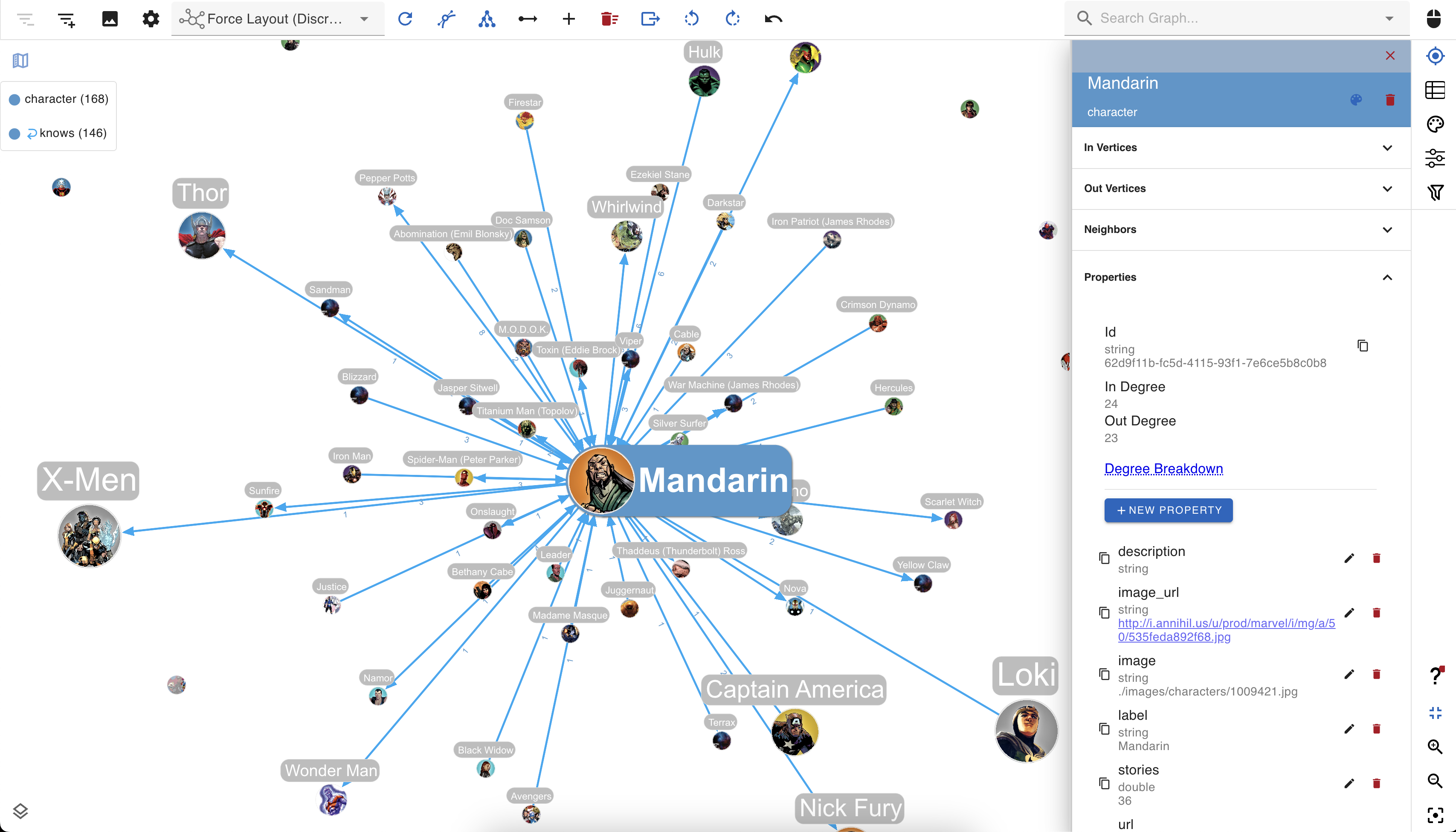

You can create custom data visualization rules for your graph database with gdotv to determine the look and feel of your data.
The gdotv database client boasts easy-to-configure style options that you can use to customize vertices and edges based on their labels and property values.
You can choose any color, size, or background image and adjust other elements to match your preference.
No-Code Data Exploration with the gdotv Graph Data Explorer
Use the built-in gdotv Graph Data Explorer to navigate your Aerospike Graph data without using queries.
The Graph Data Explorer allows you to define path patterns to query from your data, using filters on both your vertices and edges. Elements in the declared path can be filtered according to their label, direction, and property values, allowing you to perform complex path pattern searches with no code.
Instantly Load & View Your Data Model
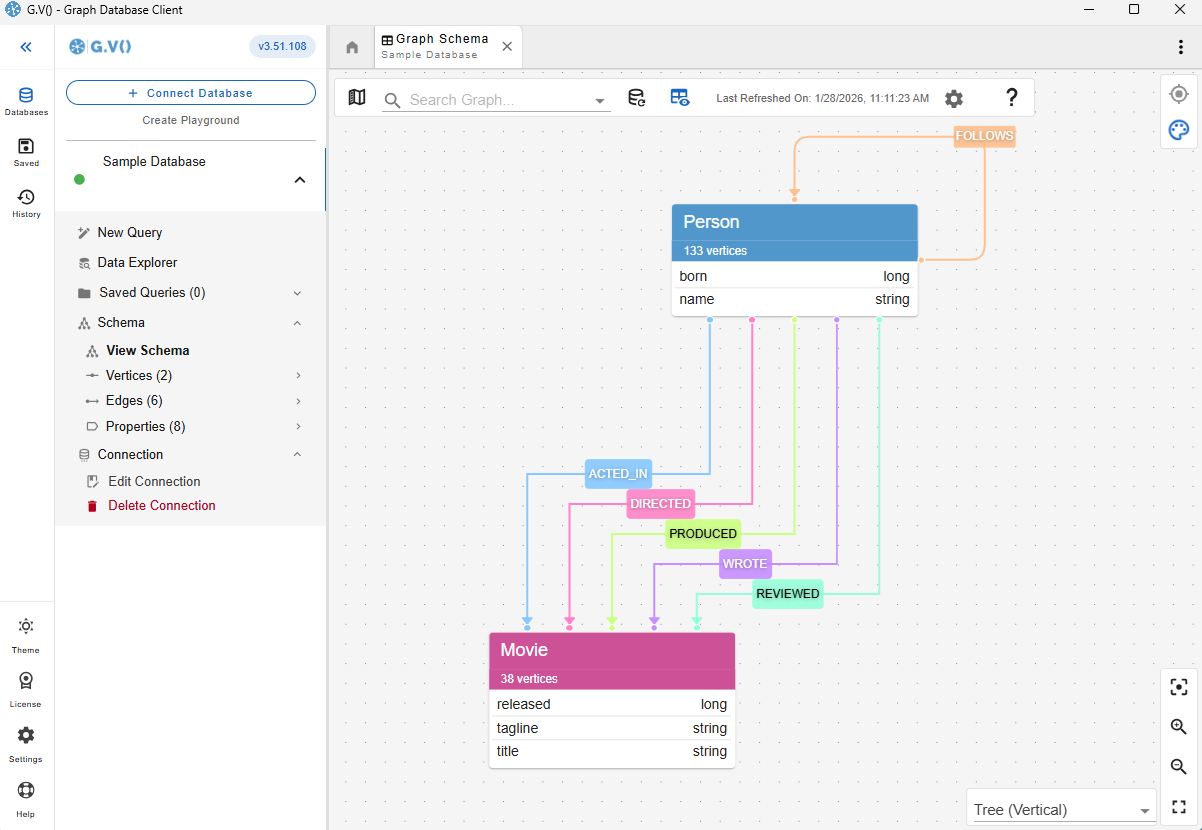
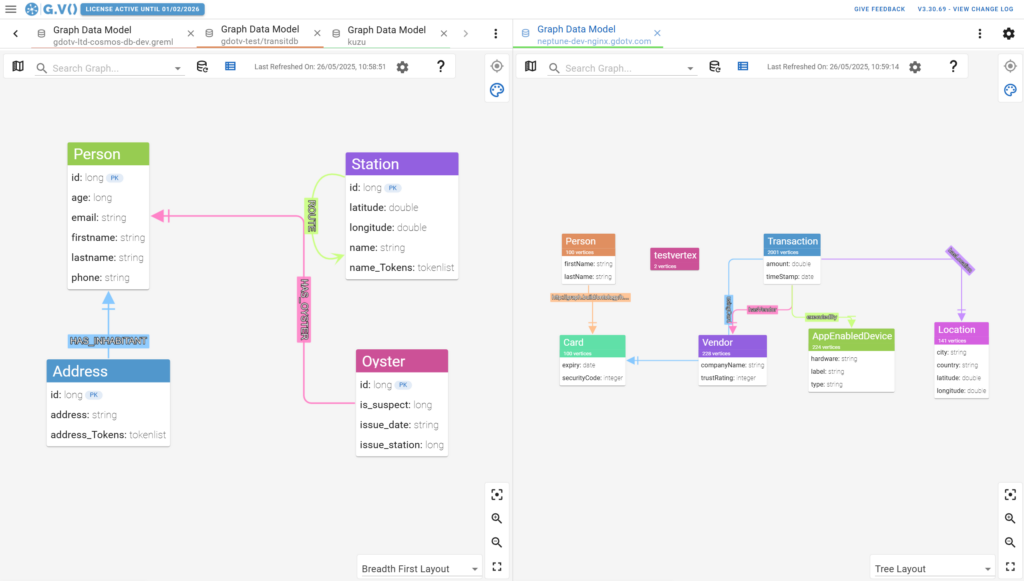
It’s always important to understand and verify your data schema. This is why gdotv provides an overview of your data structure with the data model view.
For Aerospike Graph, there are two methods to construct the data model. The first is that gdotv is able to directly retrieve the model, if available, using the Aerospike Graph Schema API. Otherwise, gdotv can construct the data model directly from your data itself. This is always just a click away, meaning that you always have a bird’s-eye view of your vertices, edges, and properties right at your fingertips.
Modify Your Aerospike Graph Data Directly within gdotv
Want to adjust something in your graph? Take a hands-on approach and manage your Aerospike Graph graph directly. Using gdotv, you can directly create, modify, and delete the edges and vertices – as well as modify the properties associated with them – allowing you to make changes on the fly.
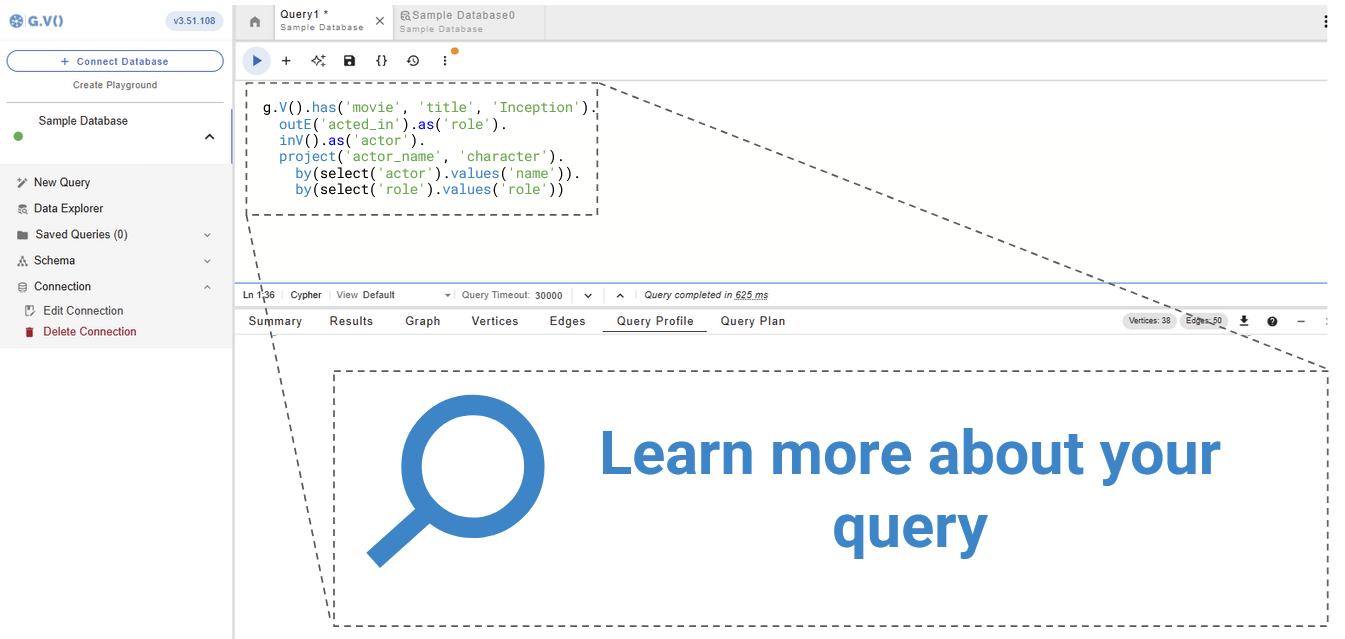
Get Query Profiles & Traversal Explanations in 1 Click
A query execution plan provides a roadmap for how your query will be executed, while query profiles provide a runtime report of how they performed. Both ensure efficient use of your graph database.
gdotv pulls the query plan from your Aerospike Graph database’s own functionality and displays the results, giving you instant feedback on query execution and performance.
Take Advantage of Syntax Validation

Using gdotv language highlighting and syntax checking for Gremlin makes your code easier to understand and visually parse, warning you of any error that would prevent it from executing against your Aerospike Graph instance.
Test Aerospike Graph Queries with the gdotv Debugger

Centralized Connection Management
gdotv can be used to query and compare data from a huge range of graph database vendors – simultaneously! We don’t just work with Aerospike Graph, gdotv’s data visualization tools fully integrate with various other graph technologies, including all Apache TinkerPop™ compatible graph databases and most LPG and RDF providers.
gdotv is fully compatible with query languages like Gremlin, Cypher, Google SQL, SQL:2023, SPARQL and more. The intuitive UI means you’ll be able to switch between your connections and queries seamlessly.
Aerospike Graph + gdotv Blog Posts


![The Weekly Edge: MCP for the Semantic Web, 2 New Graph Databases, BattleGraphs, & More [1 August 2025]](https://gdotv.com/wp-content/uploads/2025/08/rdf-gremlin-semantic-web-puppygraph-aerospike-weekly-edge-1-august-2025.png "The Weekly Edge: MCP for the Semantic Web, 2 New Graph Databases, BattleGraphs, & More [1 August 2025]")
Frequently Asked Questions (FAQs)
gdotv: The Aerospike Graph IDE
Turn your graph data into connected insights when you use gdotv to query, explore, and visualize your Aerospike Graph graph database.
Sign up for a free trial today and discover how gdotv amps up your productivity as the perfect Aerospike Graph IDE and graph visualization tool.
Or, prefer to talk with the gdotv team directly? Use the form below to get in touch.