gdotv 3.14.38 Release Notes: Now with Support for Neo4j, Memgraph, Neptune Analytics, Query Editor Improvements, and more!

Introduction
gdotv 3.14.38 is now out, with a significant expansion of scope to our product. This release evolves our product from a Gremlin graph database client to a Labeled Property Graph database client.
For the first time ever, gdotv can be used on non Apache TinkerPop graph databases**.** It is now compatible with Neo4j, Neo4j AuraDB, Memgraph and Amazon Neptune Analytics using the Cypher querying language.
Graph Database Support Expansion
This is the first wave of graph database support expansion on gdotv. In the near future, you’ll be able to interact with even more graph databases using Gremlin, Cypher and many more query languages we’re working on integrating in gdotv.
For now, here is the list of newly supported databases:
- Neo4j, version 4.4 and above
- Neo4j AuraDB, version 4.4 and above
- Memgraph, version 2.0 and above
- Amazon Neptune Analytics, all versions.
As always, connecting to these newly supported technologies is easy as 1-2-3, as illustrated below:
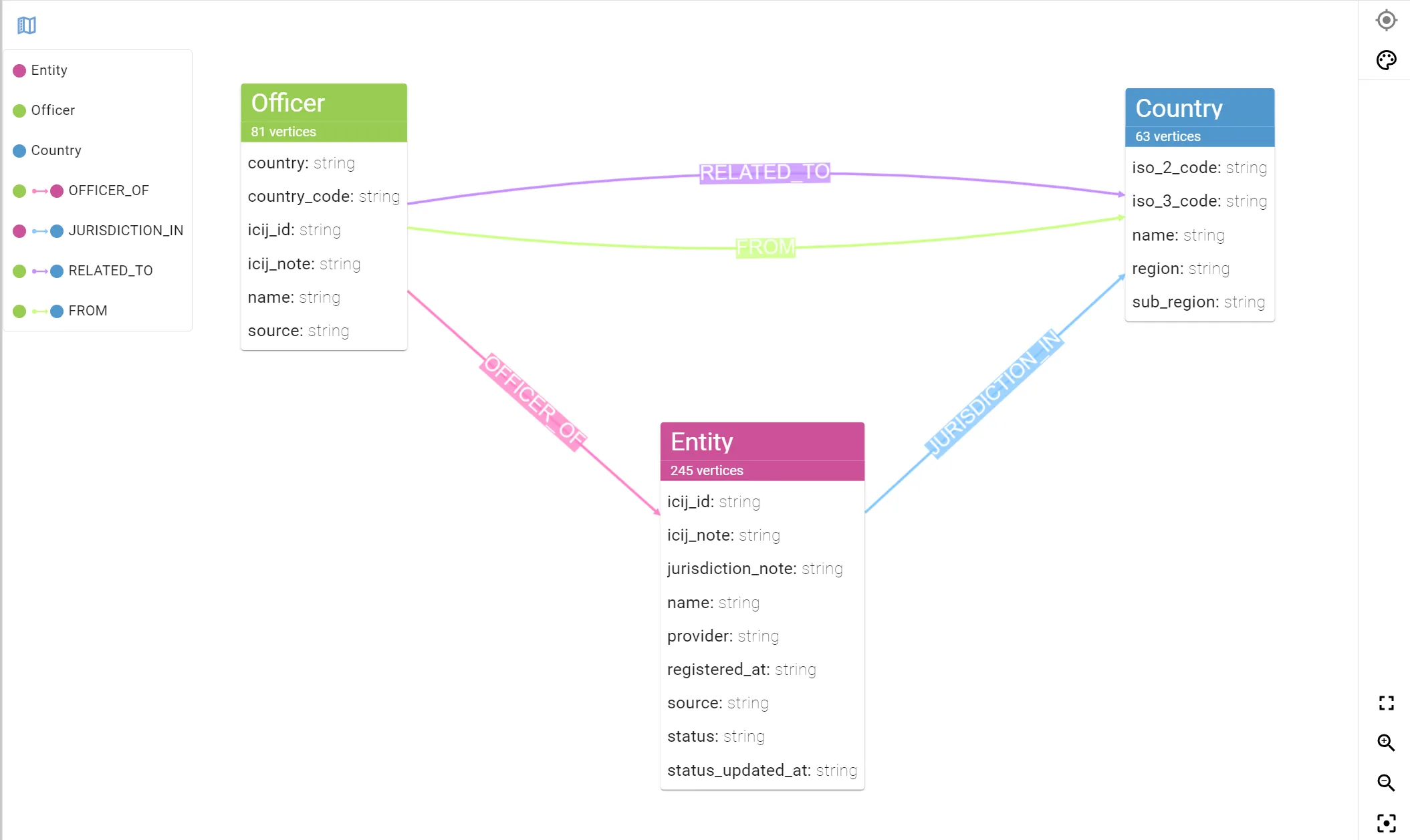
Using the respective schema APIs of Neo4j, Memgraph and Neptune Analytics, our software can retrieve and display your graph data schema in seconds. The data schema display is an essential tool to track and manage the structure of your data, as well as share it internally.
Improved Graph Styles Generation
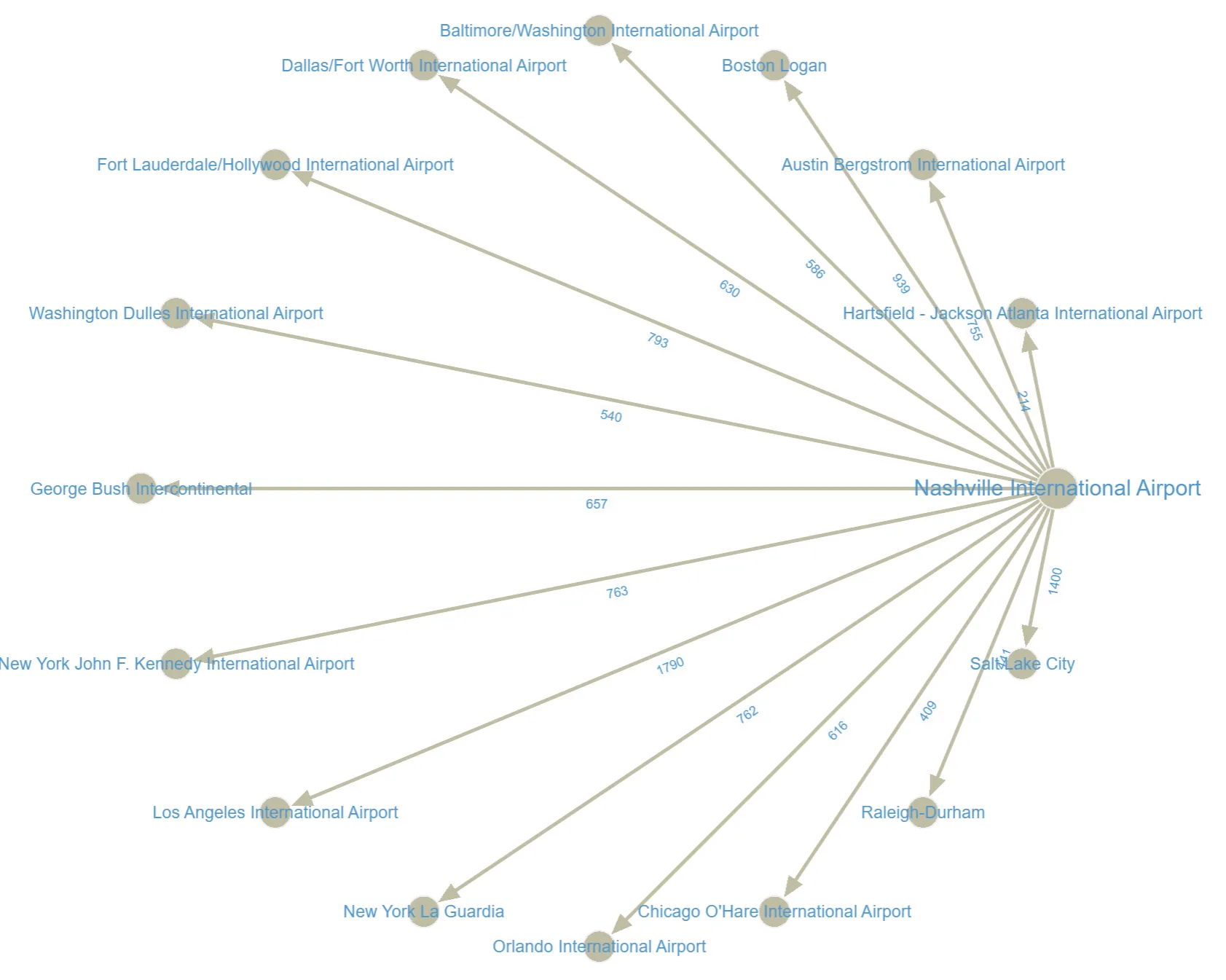
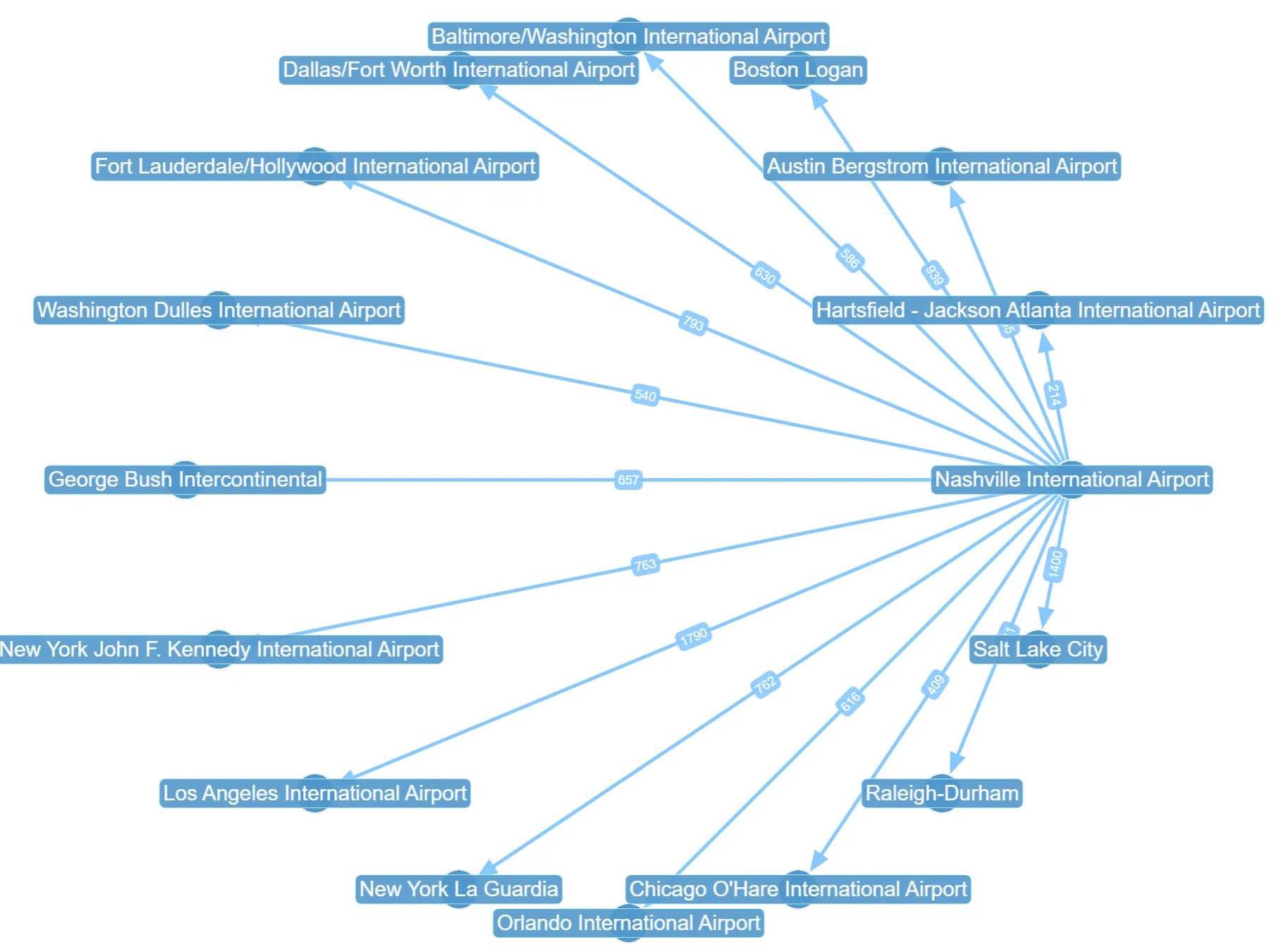
We’ve reworked our default graph styles generation to use a more vibrant and discernible color palette. This update also makes vertices easier to distinguish from edges on large graphs.
Labels now come with a background by default to improve readability. Overall this gives graph visualizations a more distinct visual identity while carrying visual information more accurately. As always a picture speaks a thousand words, and the comparison between old and new below should give you a perfect idea of the positive impact of this change:
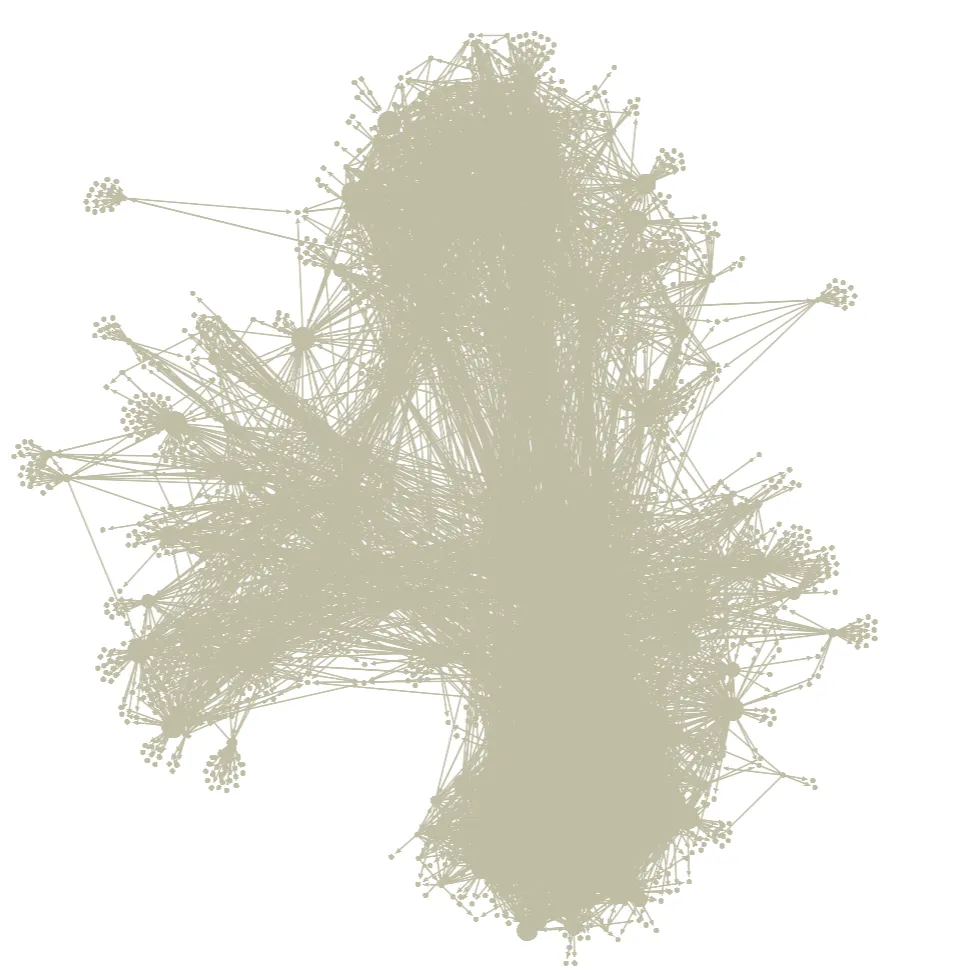
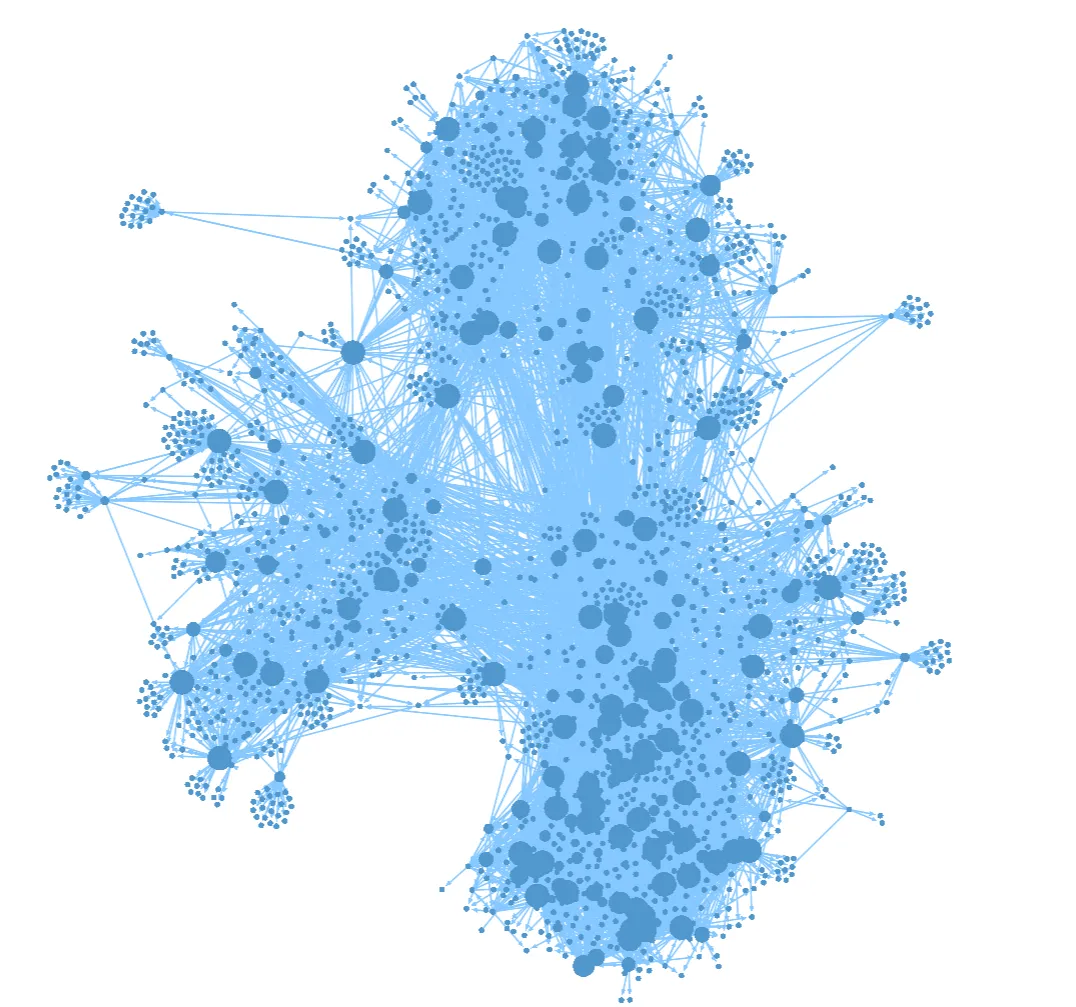
We’ve followed a similar approach in the handling of label displays to ensure they contrast better with the graph elements by default. Note that you can configure stylesheets manually to achieve the results displayed above, but ideally this should all happen automatically, which is what we’ve done here!
Query Editor Improvements
We’ve made performance improvements to our query editor, allowing it to generate code suggestions faster and without interrupts to the main UI thread. Detection of multiple Gremlin queries in a single editor is now also more efficient and accurate.
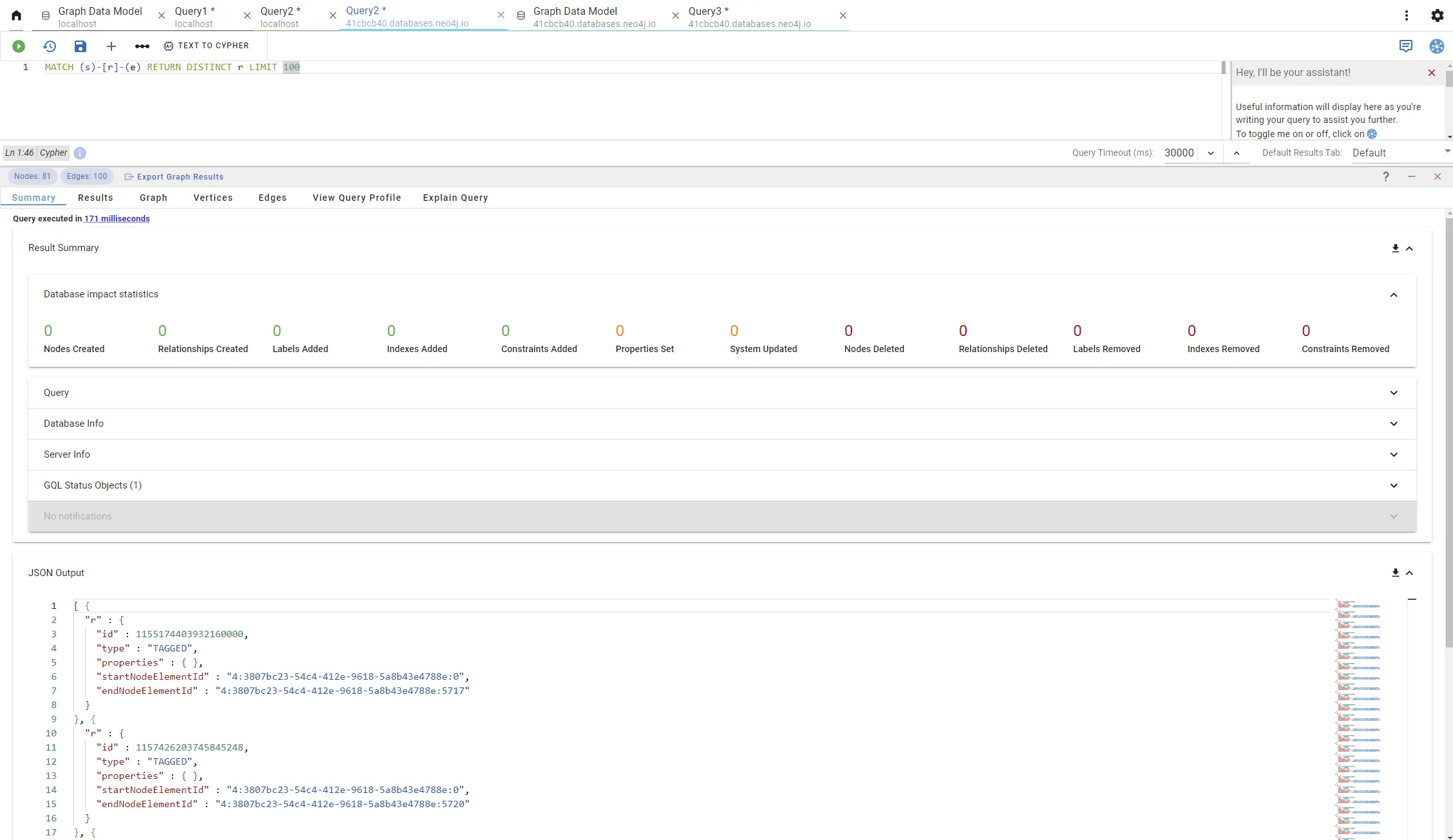
The Summary results view has been visually improved to convey the same information more succinctly, with the ability to hide/show the various types of outputs presented from the query. When using Gremlin as the query language, you’ll be shown the JSON Output by default, with the Console Output available to view as well.
When using Cypher as the query language, you’ll be shown the JSON Output by default with the option to see the Result Summary as returned by the Bolt protocol, where available. This includes useful Bolt Summary details such as Database Impact Statistics or Database/Server info.
Displaying tabs side by side
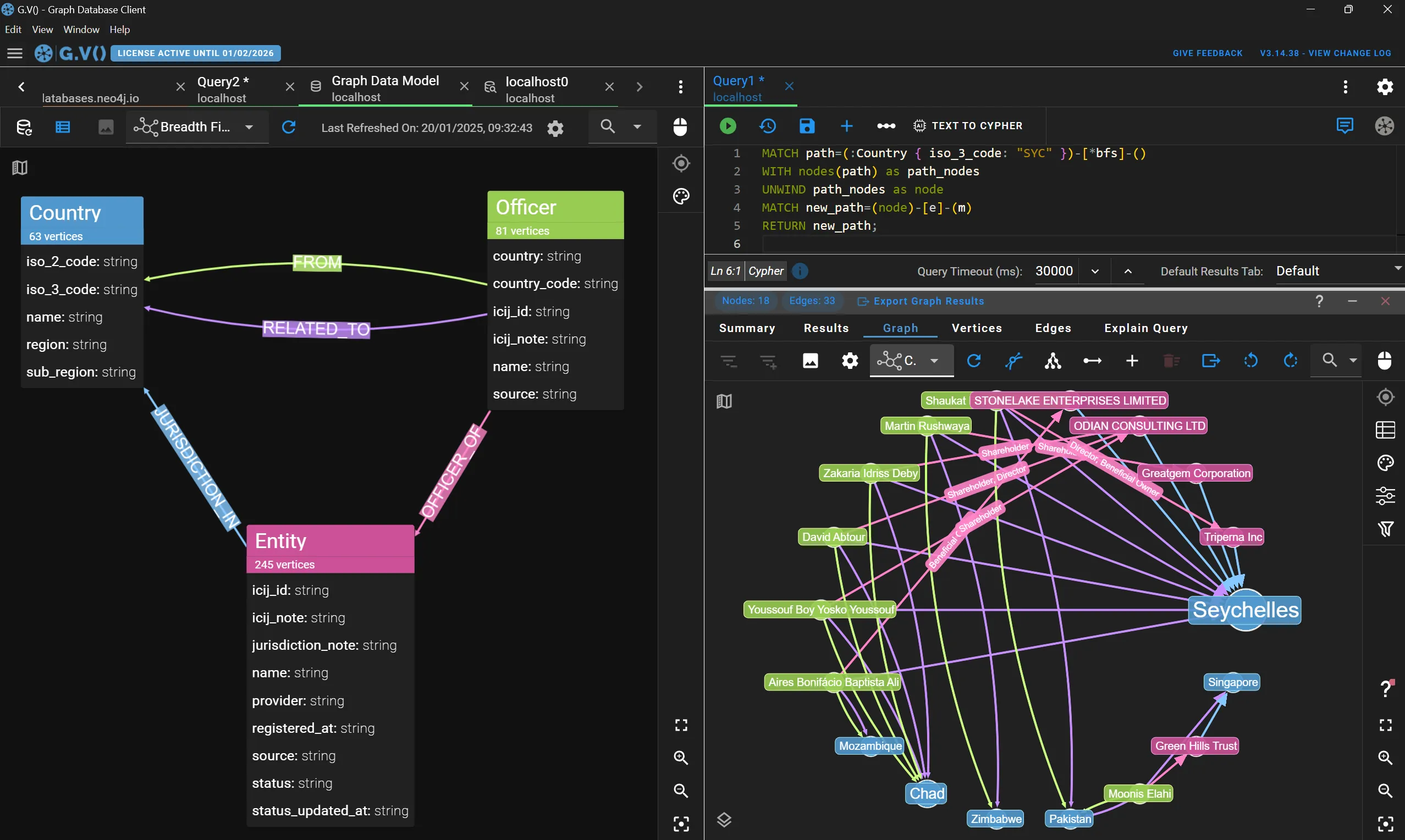
gdotv tabs can now be split vertically, allowing you to display two tabs side by side. This new feature opens up new ways to work on your graph database as it allows comparing query results, data models and graph visualizations easily. This has been a recurring feature request and we’re happy to say it has finally been addressed.
Tabs can be split in just one click of the “Split Editor” button on the tab header name – tabs can also be dragged from the left or the right side of screens to easily re-organize them as you see fit. Below is an example showing the output of a query of the Pandora Papers sample dataset from Memgraph shown side-by-side with the data model of the graph (in dark mode):
Conclusion
For the first time ever, gdotv can be used simulatenously across most major labeled property graph databases such as Neo4j, Amazon Neptune and Azure Cosmos DB. This release sets out the initial roster of Cypher-enabled graph databases we’re bringing support to – and there will be many more in the future.
If there’s a specific graph database you’d like to use with gdotv that’s not made it to our list yet, drop us a line at support@gdotv.com.
We’re actively working with graph database vendors to bring these new integrations to life. As always, stay tuned!
About the author

Arthur Bigeard
Founder & CEO
Hey! I'm Arthur Bigeard, the CEO and Founder of gdotv. I've discovered and grown a passion for graph databases in my previous jobs, which I've channeled into the making of gdotv. My mission is to create a universal, plug-and-play graph database client to simplify and accelerate the day-to-day tasks of graph data professionals.