Introducing AI Query Generation and Cypher Dialect specific autocomplete [gdotv v3.61.129 Release Notes]

Another new version of gdotv is coming your way, including a big new feature and a whole bunch of improvements:
- LLM query generation and results analysis
- Dialect specific autocomplete for Cypher
- Improved graph element sideview look and feel
- More intuitive BigQuery Graph connection setup
LLM Chat Interface
Even with the ever increasing amount of help gdotv’s query editor provides, writing complex queries can still be an arduous task. So our next big jump in making your jobs even easier is our new AI Chat feature. Start off by configuring your AI provider with your API Key in the settings, and you’ll be good to go. Compatible providers initially are OpenAI (ChatGPT), Anthropic (Claude), Google Gemini, Azure Foundry, and Ollama.
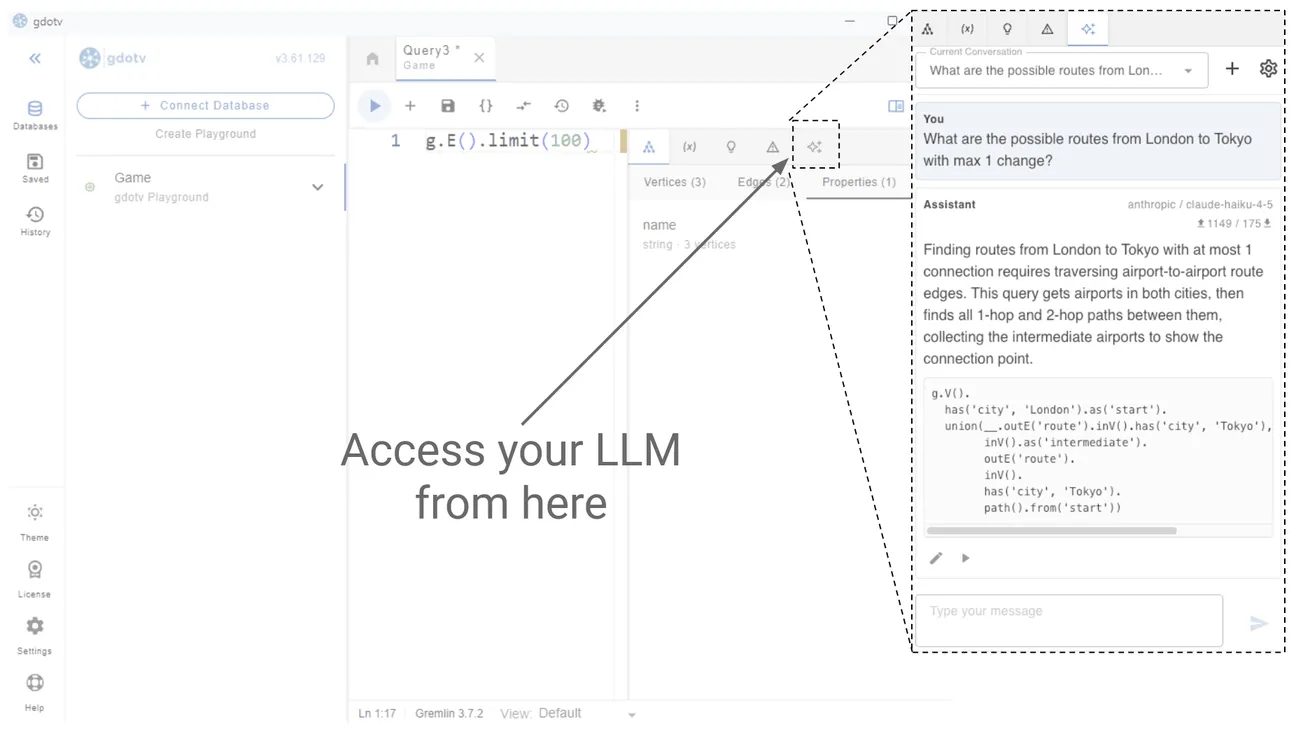
All you need to do is provide the AI assistant with a prompt, and it will quickly generate a query along with an explanation. From there you can either apply it to the query editor and modify it before running if needed, or apply and run in one click. Multiple conversation histories can be stored, so you can keep your workflows separate from each other and revisit them as necessary. You can also switch between providers and models at any point, and see exactly how many tokens are sent and received on each prompt.
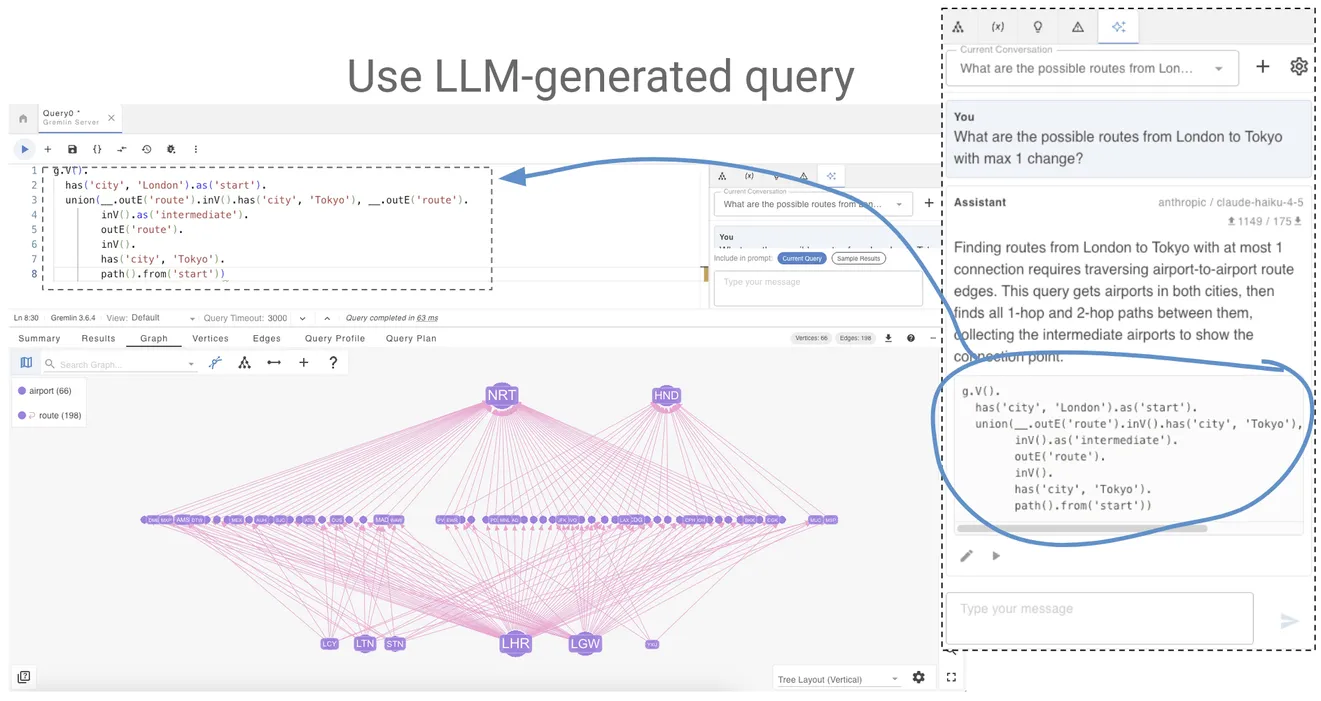
Understanding the results of your query isn’t always straightforward either. If you’re left scratching your head even after inspecting gdotv’s multiple result views, simply ask the AI assistant to explain, and it will analyze your results and make them more clear to you in plain language.
Dialect Specific Autocomplete for Cypher
Up until this release, those of you writing Cypher queries in gdotv may have noticed a slight quirk – all Cypher databases were using Neo4j’s Cypher 25 syntax. This would have probably worked fine in most situations, but certain intricacies between the different dialects were being glossed over. Now the autocomplete and syntax highlighting functionalities will be aware of such differences. This provides a much more faithful autocomplete experience for the following graph databases we support:
- FalkorDB
- AWS Neptune
- LadybugDB
- Memgraph
- Apache AGE
- HugeGraph
- PuppyGraph
Improved graph element sideview look and feel
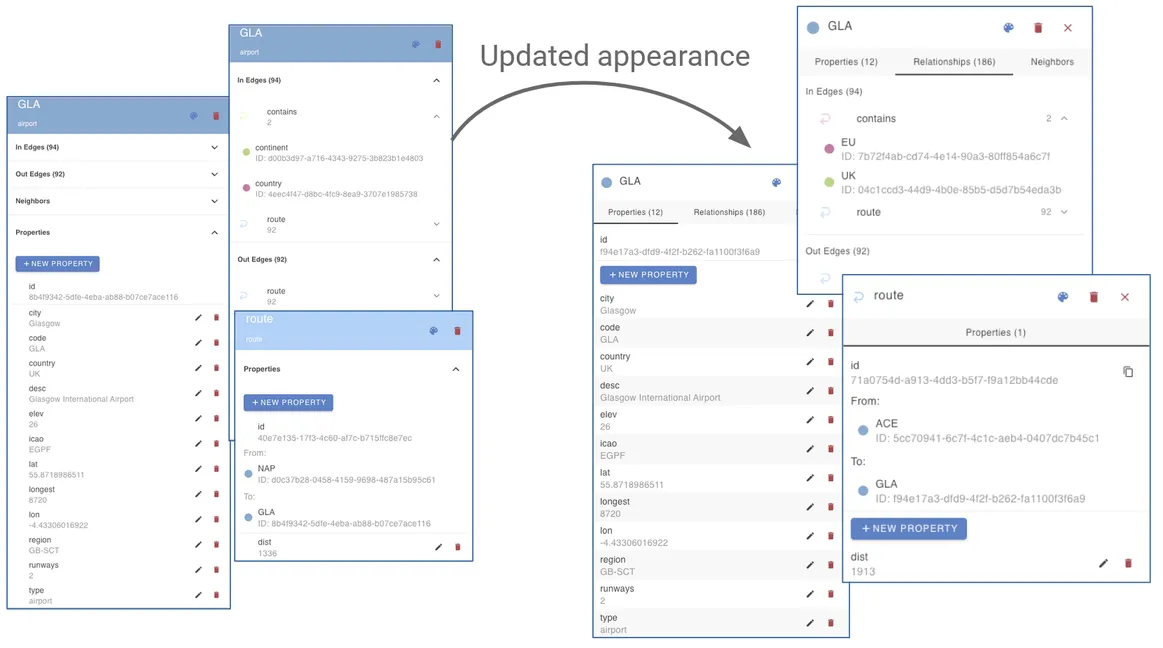
Aside from making your workflow easier, it’s always nice for things to look pretty at the same time. It’s good to treat your eyes as well as your brain, and we think you’ll find these UI changes to the graph element sideview to be a lovely upgrade. A couple of little bonus features that weren’t picked up on the screenshots: hovering over a property will reveal a button to copy its value to the clipboard, and hovering over the value will show its type.
Improved BigQuery Graph Connection setup
We’ve streamlined the process of connecting to your Google Cloud BigQuery Graph instance. You no longer need to enter your BigQuery Dataset ID, just your Google Cloud Project ID. gdotv will then allow you to select from available datasets via a dropdown menu.
Other Improvements
Aside from the headlines, we’ve been pushing the usual bug fixes and minor updates:
- Upgraded to LadybugDB 0.15.4
- Improved application startup speed
- Improved handling of RDF Lang tags in graph visualization
Conclusion
That’s it for this month – a varied list of improvements to boost your productivity when working in the graph world. Whether you’re an experienced user or new to gdotv, give the latest version a try today and see what you think!
And be sure to let us know if you have any thoughts or questions – we’re always happy to hear and help!
About the author

Joe Stainke
Developer
Hey! I'm Joe Stainke, one of the gdotv development team members! As a newcomer to the graph database industry, I bring fresh perspectives on how we can improve adoption of graph technology for the masses.