Introducing pgGraph Support, Node Icons & Language-Aware Terminology [gdotv v3.63.137 Release Notes]

We’ve kept you waiting this month, but the June release of gdotv is here. The headline addition is support for pgGraph. Alongside it you’ll find icon functionality on the graph visualization, language-specific vertex and edge terminology, and improved lang-tag handling for RDF. Here’s everything that’s new.
Added Support for pgGraph
gdotv now supports pgGraph, the open-source graph traversal extension for PostgreSQL from Evokoa.
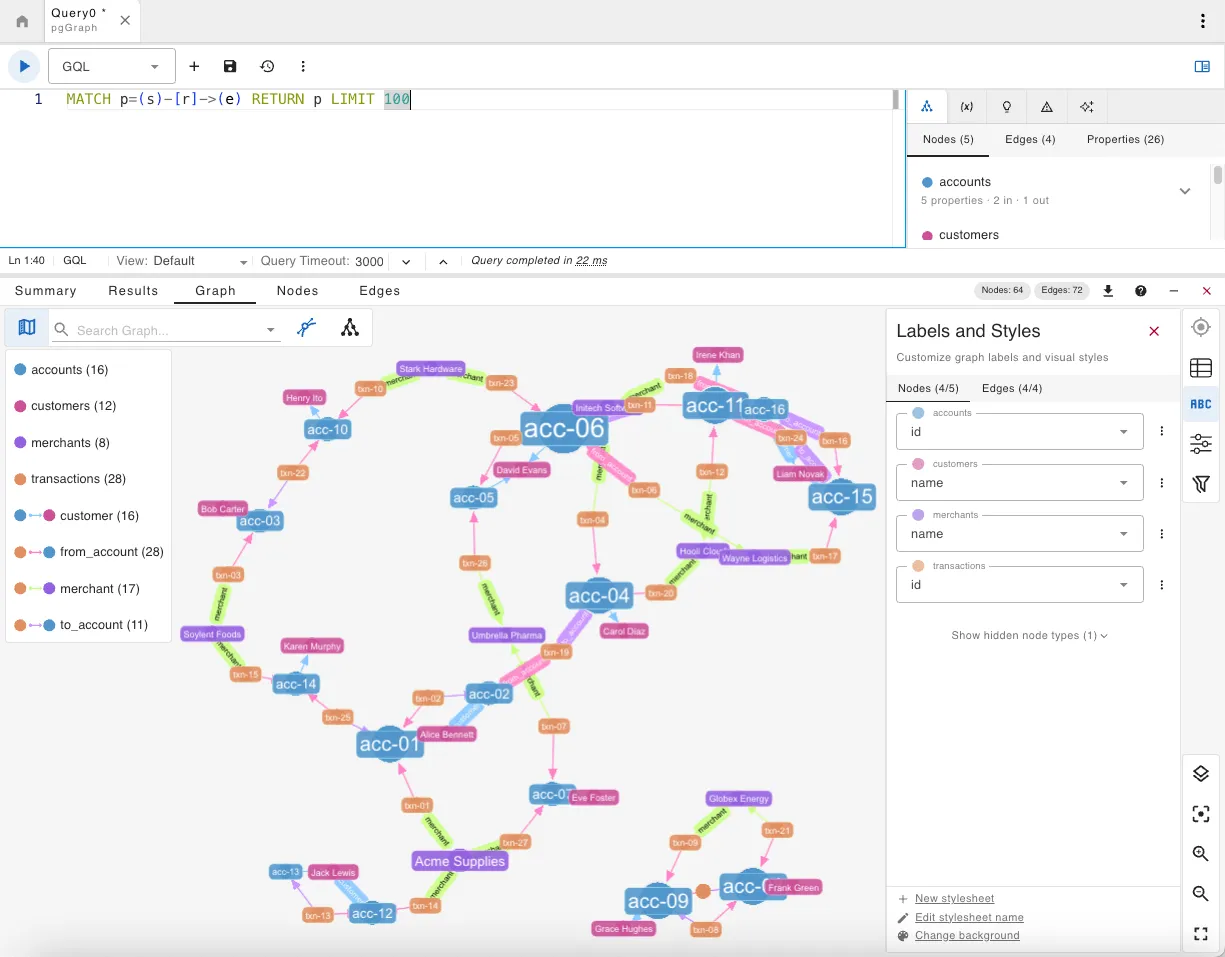
Unlike Apache AGE, which introduces a dedicated property graph model on top of Postgres, pgGraph takes a different approach. It builds a high-performance graph index directly over your existing relational tables, letting you run bounded traversals, shortest path queries, and relationship searches through standard SQL. No data migration or new query language is required.
With this integration you get full query editing support, interactive graph visualization of your results, and graph schema exploration, all without touching your existing Postgres setup.
If you’re already using pgGraph, or just curious to see what graph queries over your relational data look like, connecting it to gdotv takes a few seconds. If you’re new to it, you can get started with pgGraph in the docs.
Icon Functionality for Graph Nodes
You can now assign icons to any of the vertex/node labels in your graph, adding an extra visual layer of information.
This feature lives on the Graph Labels and Styles side panel of the graph visualization. Click the options button next to a label and select Set Icon / Image. You then have the entire 7,000-strong Font Awesome library to choose from, and the search is pre-filled with the name of the label to get you started with some relevant suggestions. You can also change the color of the icon by clicking the square at the end of the search bar to bring up the color palette.
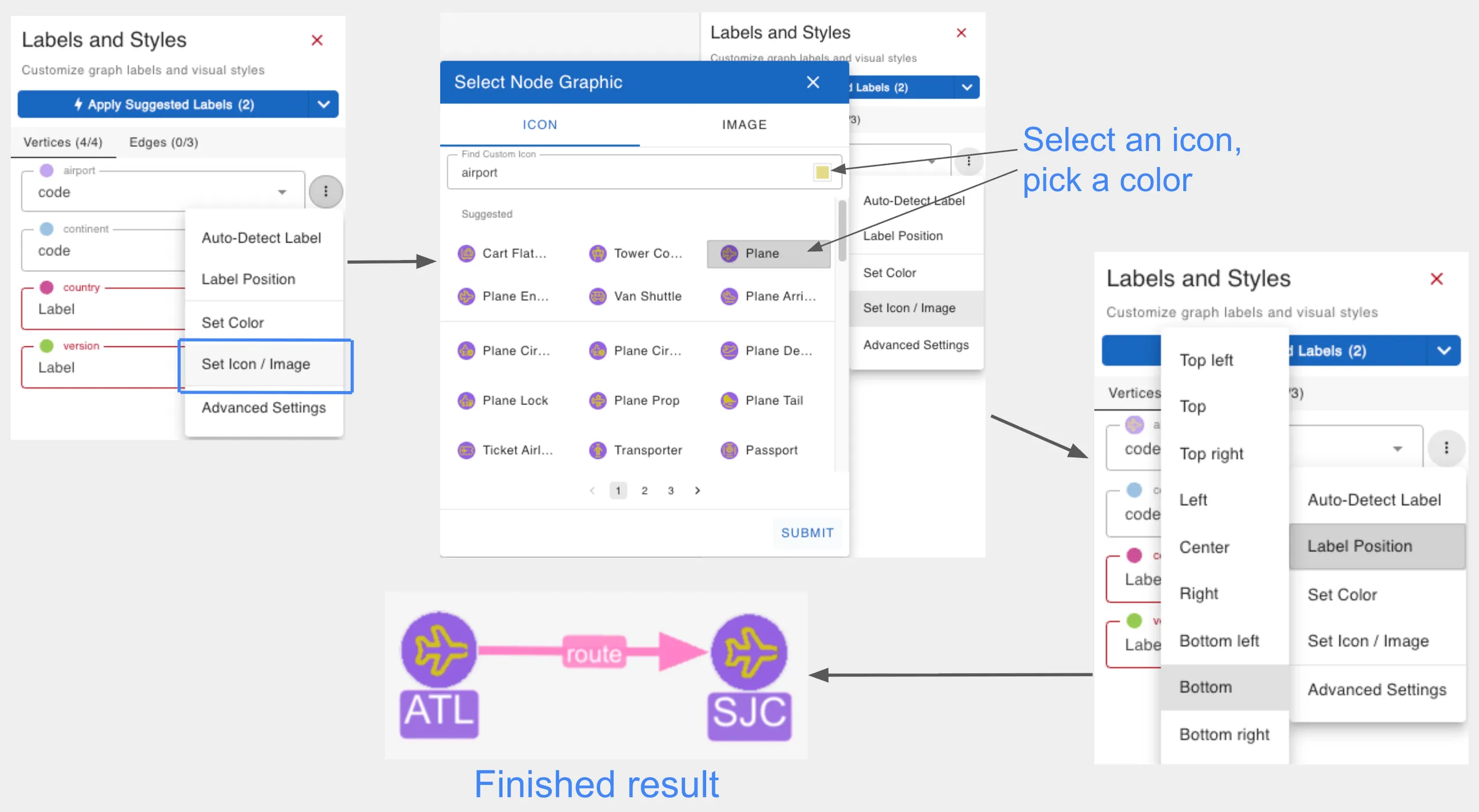
Adding an icon has the same effect as adding an image, which you can do from the same place. Don’t forget that you can change the position of the text label (Label Position in the same options dropdown) so the icon or image shows more clearly.
Language-Specific Vertex & Edge Terminology
Those of you keen on your gdotv history will know that the first database language we supported was Gremlin / Apache TinkerPop, which is why we’ve always used the terms “vertices” and “edges”. We realized, though, that if you’re coming from a Cypher or SPARQL background, this can be unintuitive at best and downright confusing at worst. So we scoured the docs of every database we support to make sure what you see in gdotv aligns with what you’re likely used to.
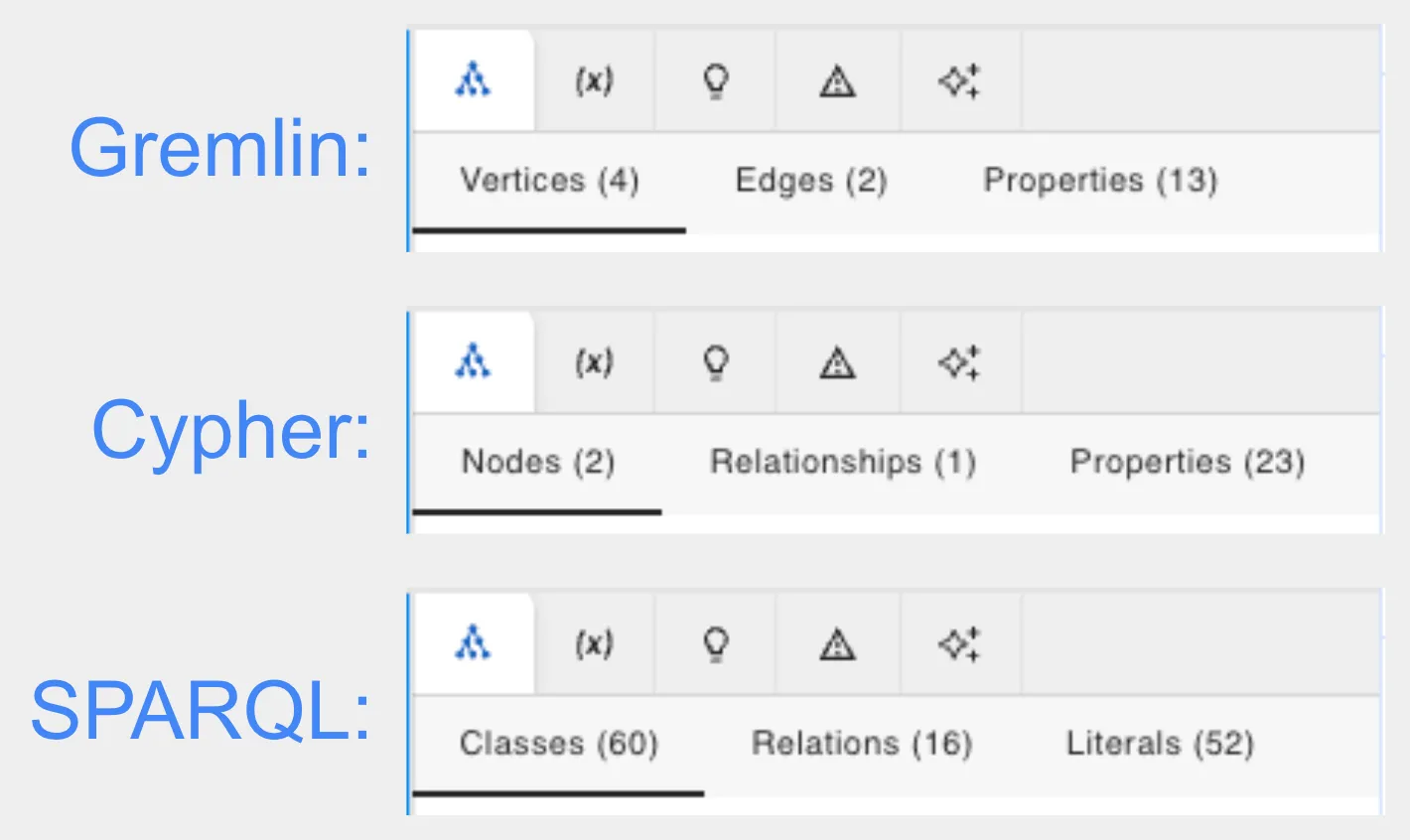
Working on a Cypher database? You’ll now see “nodes” and “relationships”. SPARQL? “Subjects/resources” and “predicates”. For the graph databases that support multiple languages, you can select a default language on the create/edit connection window, which determines the terminology used.
Improved Lang-Tag Display Handling for RDF
We’ve also changed how we display RDF lang-tagged properties. If a class has the same property in multiple languages (for example rdfs:label@en, rdfs:label@fr, rdfs:label@de), they’re now grouped under one property row (rdfs:label), massively reducing clutter and visual noise.
The preferred value is shown first, and you can click to expand and see the other language variants.
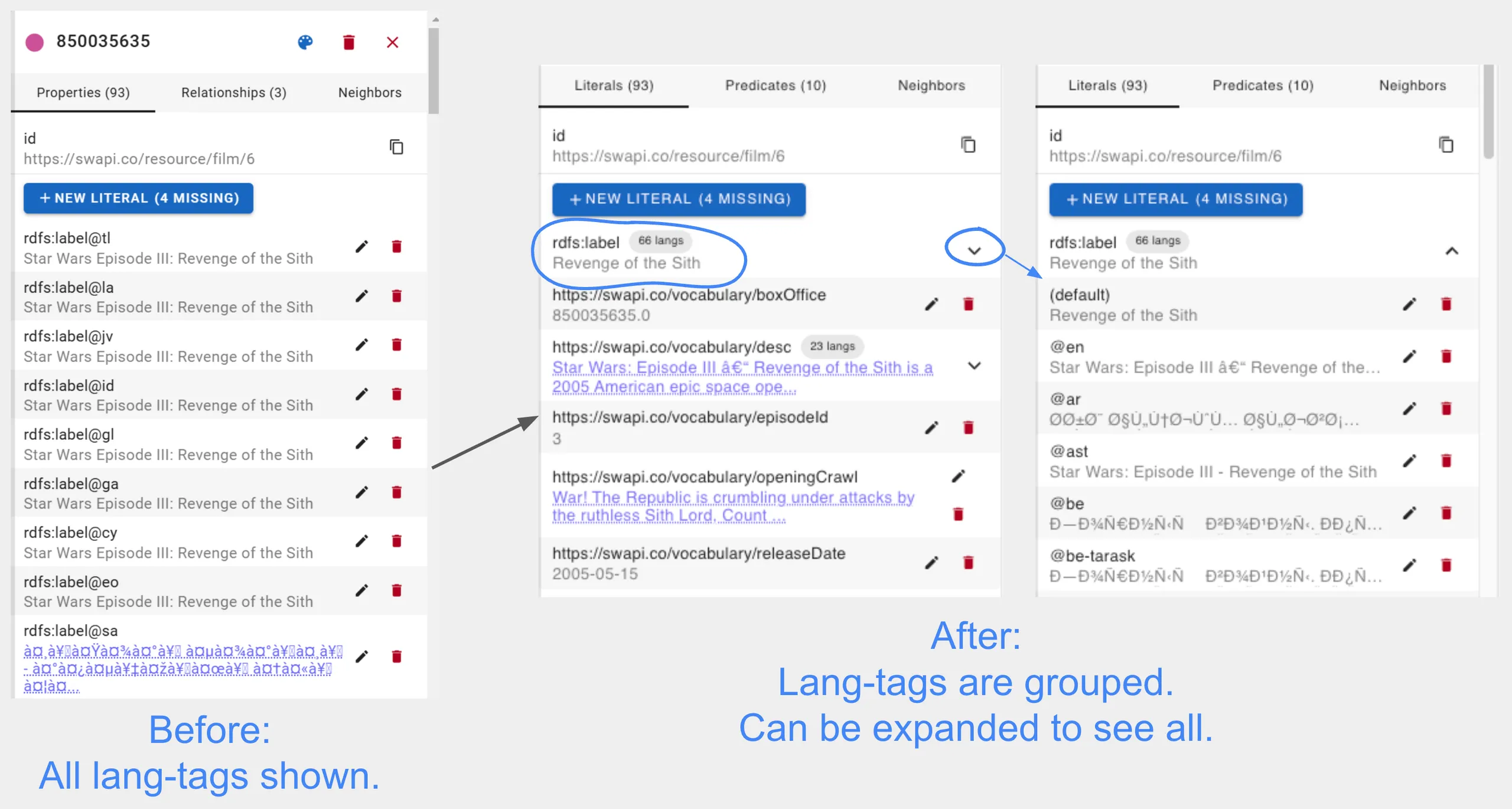
The preferred value is picked in this order:
- Browser language
- No-language/default value
- First available fallback
Upgrades to LadybugDB 0.17.1 & Apache TinkerPop 3.8.1
LadybugDB recently bumped up to version 0.17.1. The main changes are windows-arm64 support, so it can run on RTX Spark, and the wasm shell now supporting httpfs and remote URLs. A small upgrade from 0.17.0.
Apache released TinkerPop 3.8.1 in April of this year, and gdotv has matched it for full support.
Conclusion
pgGraph support opens up an exciting new corner of the graph-on-relational world, and we hope the new icon functionality, terminology awareness, and RDF improvements make your day-to-day graph work that little bit smoother. There are some more big changes lined up for next month, which we’ll be teasing soon.
Until then, check out the latest version of gdotv and find out how it can assist your work.
About the author

Joe Stainke
Developer
Hey! I'm Joe Stainke, one of the gdotv development team members! As a newcomer to the graph database industry, I bring fresh perspectives on how we can improve adoption of graph technology for the masses.