gdotv Adds Multi-Graph Connections & Automatic Data Models [v3.74.142 Release Notes]

The July release of gdotv is now available, and the focus this month is on the connections and workflows that grow with your data.
The headline change is support for multi-graph and multi-dataset connections, which lets a single connection move between the graphs, datasets and repositories it exposes. Alongside it, we have refreshed the graph visualization, made label detection fully automatic, and reworked data model loading so that it now takes care of itself.
Here is everything that is new.
One Connection, Many Graphs, Datasets & Repositories
Most of the graph databases gdotv supports expose more than one container behind a single endpoint. Until now, a connection was tied to exactly one of them.
From this release, a connection understands every container it exposes and lets you switch between them freely. The selector uses the terminology of the technology you are working with:
| Technology | Container term |
|---|---|
| Gremlin servers | Graph Traversal Source |
| Cypher servers | Graph |
| Eclipse RDF4J, GraphDB, AllegroGraph | Repository |
| Blazegraph | Namespace |
| Apache Jena Fuseki | Dataset |
| RDFox | Data Store |
During automatic connection detection, gdotv queries each provider’s management API to discover what is available. When only one container exists it is selected by default, and when several are found you are prompted to choose a default.
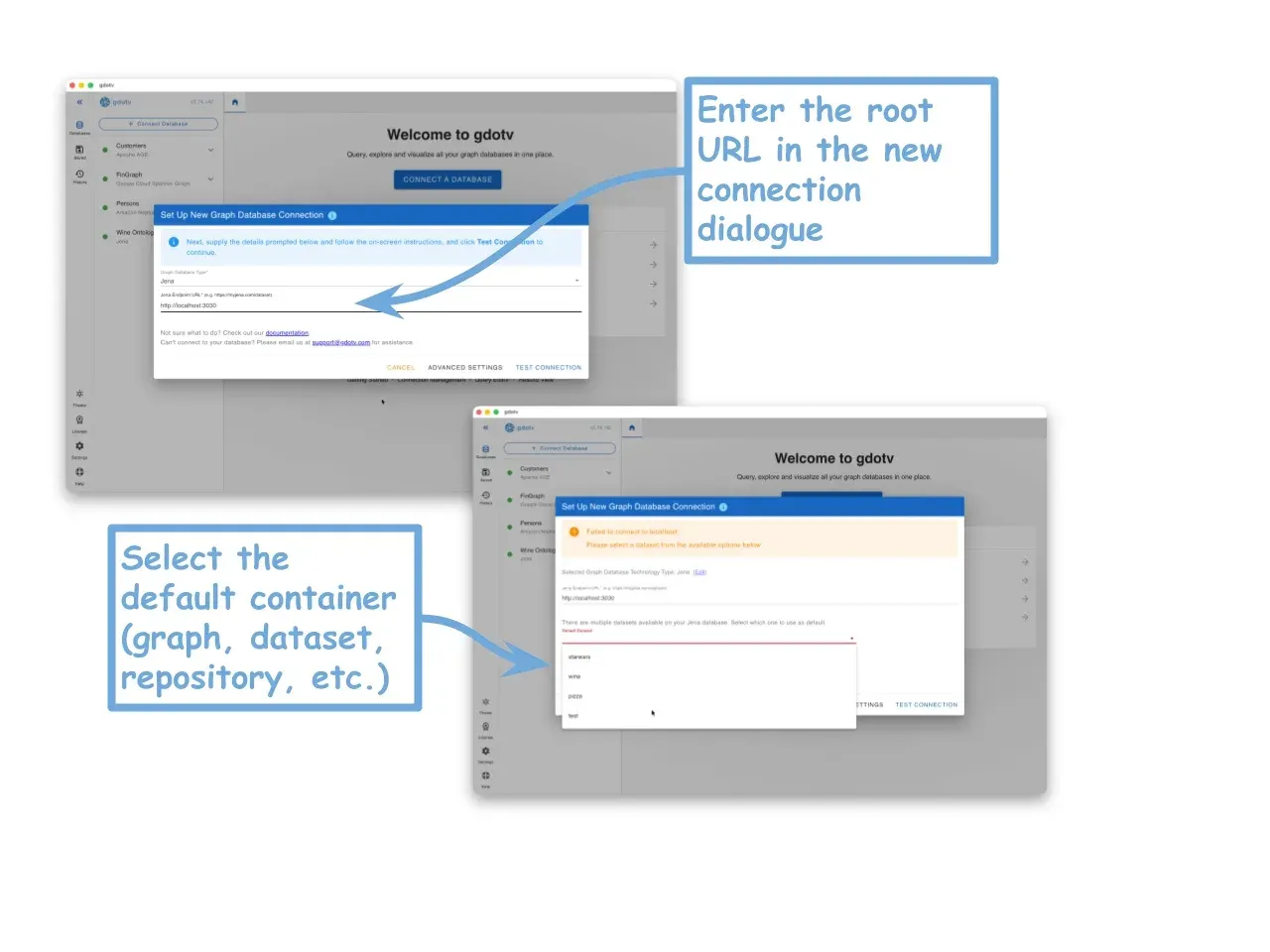
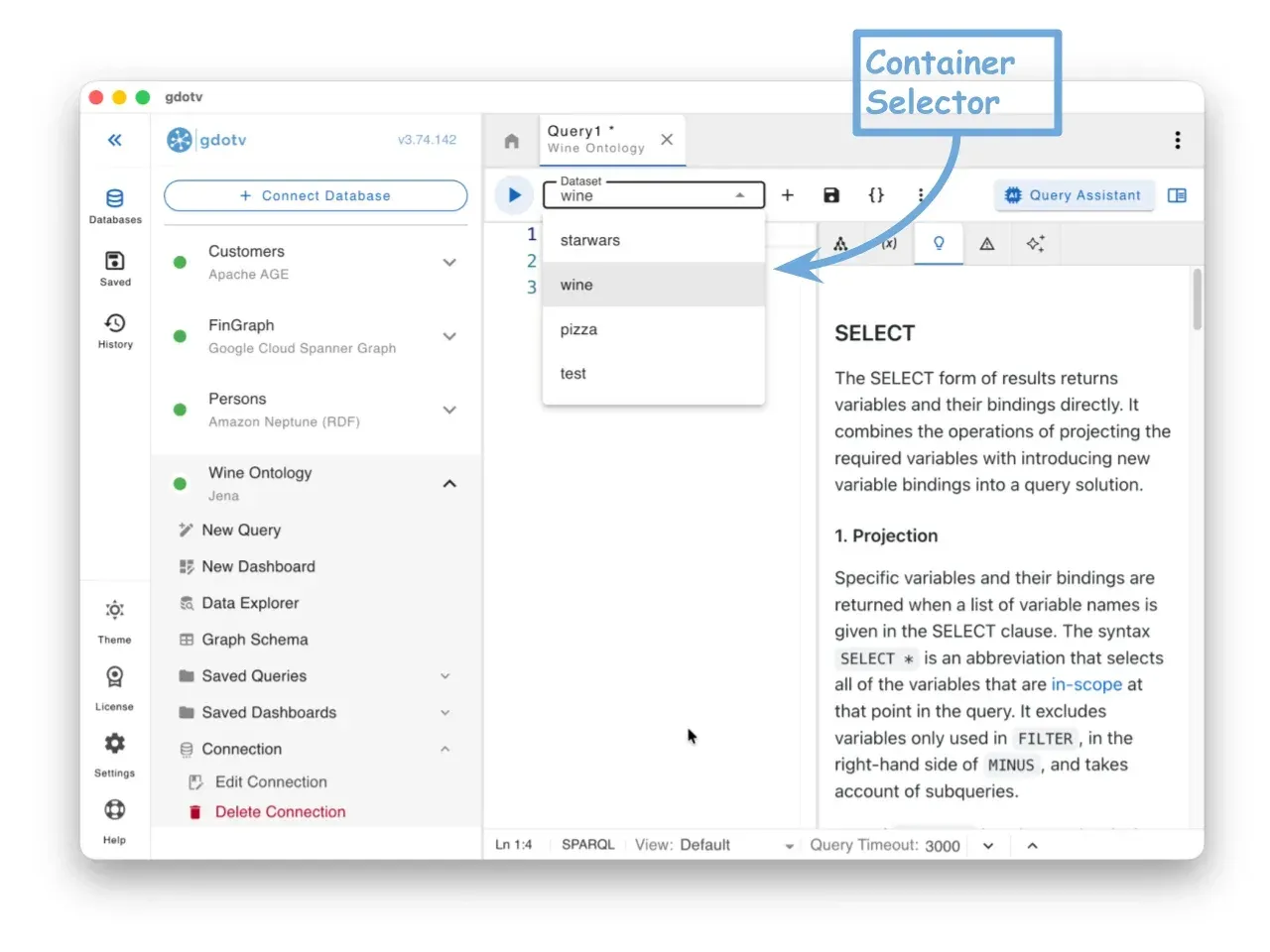
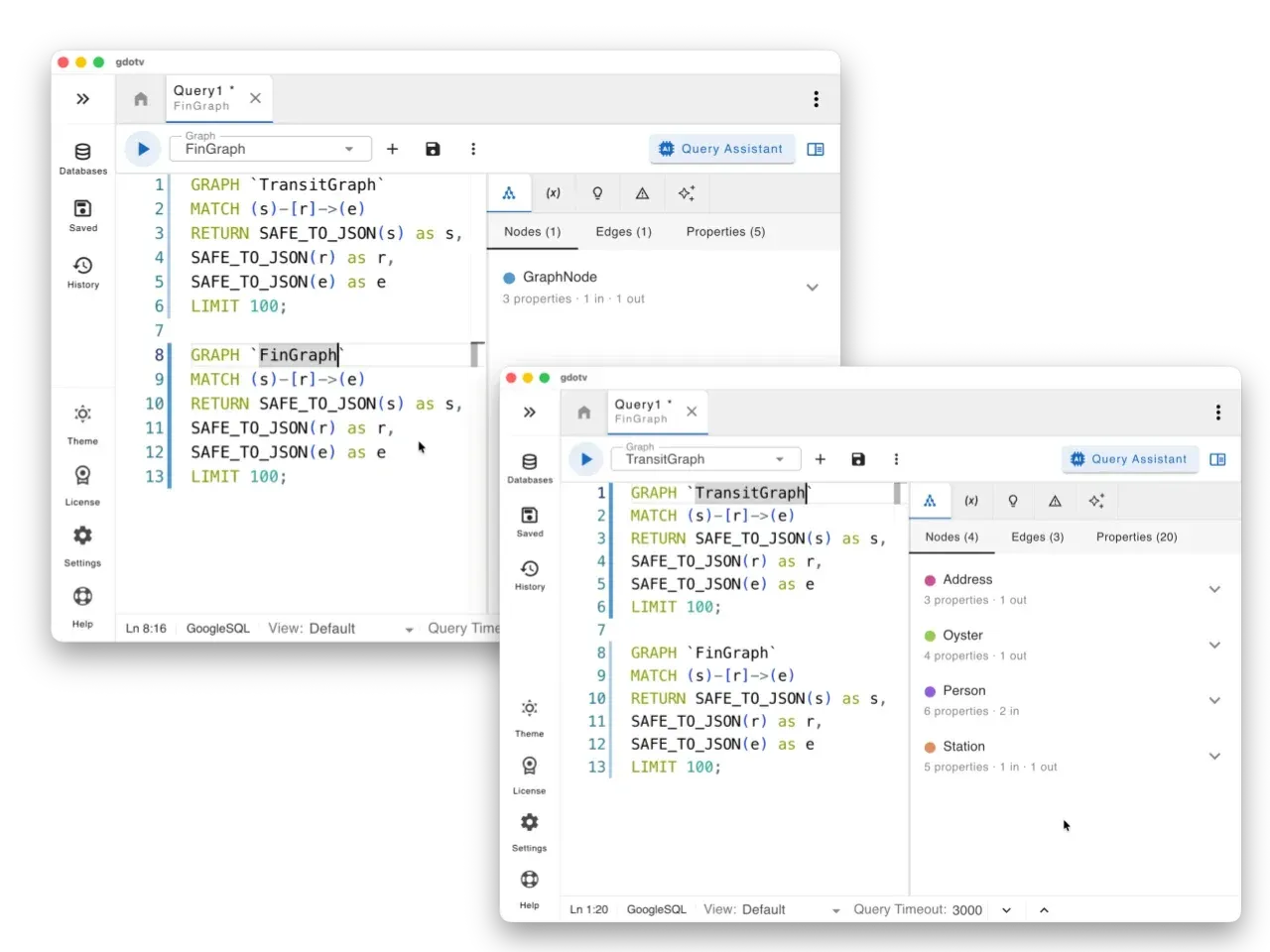
You can change the active container at any time from the Edit Connection dialog, and a selector now appears in the Query Editor toolbar so you can switch on demand and point an individual query tab at a specific graph.
Each container keeps its own data model, so autocomplete suggestions and the graph legend always follow the graph you are actually querying. Because schema storage is now organized per container, your first connection after updating simply refreshes cleanly against whichever graph you open.
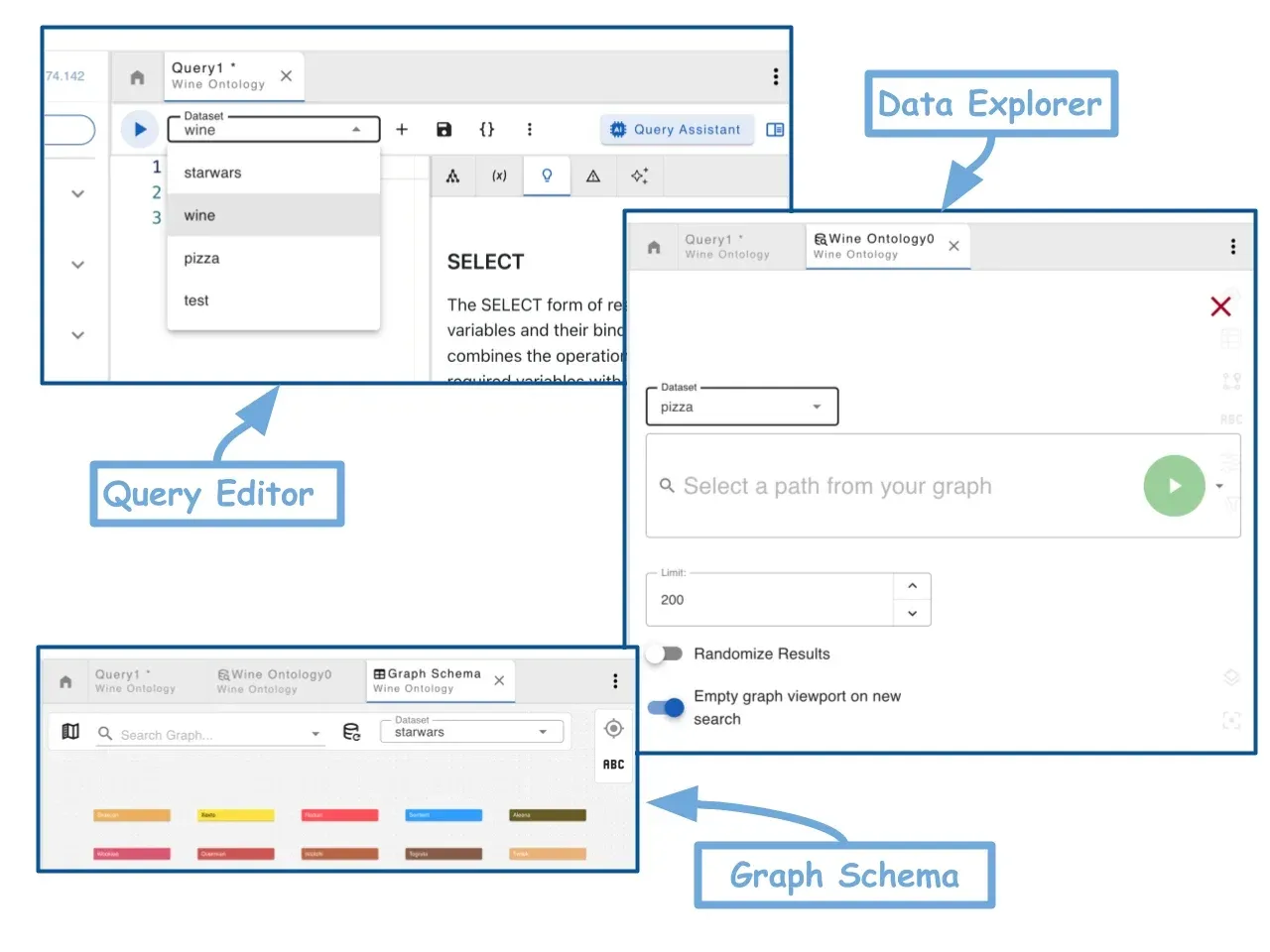
You will find the same selector in the Graph Schema Viewer and the Data Explorer, each operating independently of the others.
For Spanner Graph and BigQuery Graph, which are queried with GoogleSQL, the selector and the query text stay in step with one another. Selecting a different graph updates the GRAPH clause in your query, and editing that clause updates the selector to match.
Where a tab holds more than one GRAPH clause, the selector follows the one your cursor sits in. If the query references a graph name that does not exist on the connection, it is flagged as an error.
A Refreshed Graph Visualization
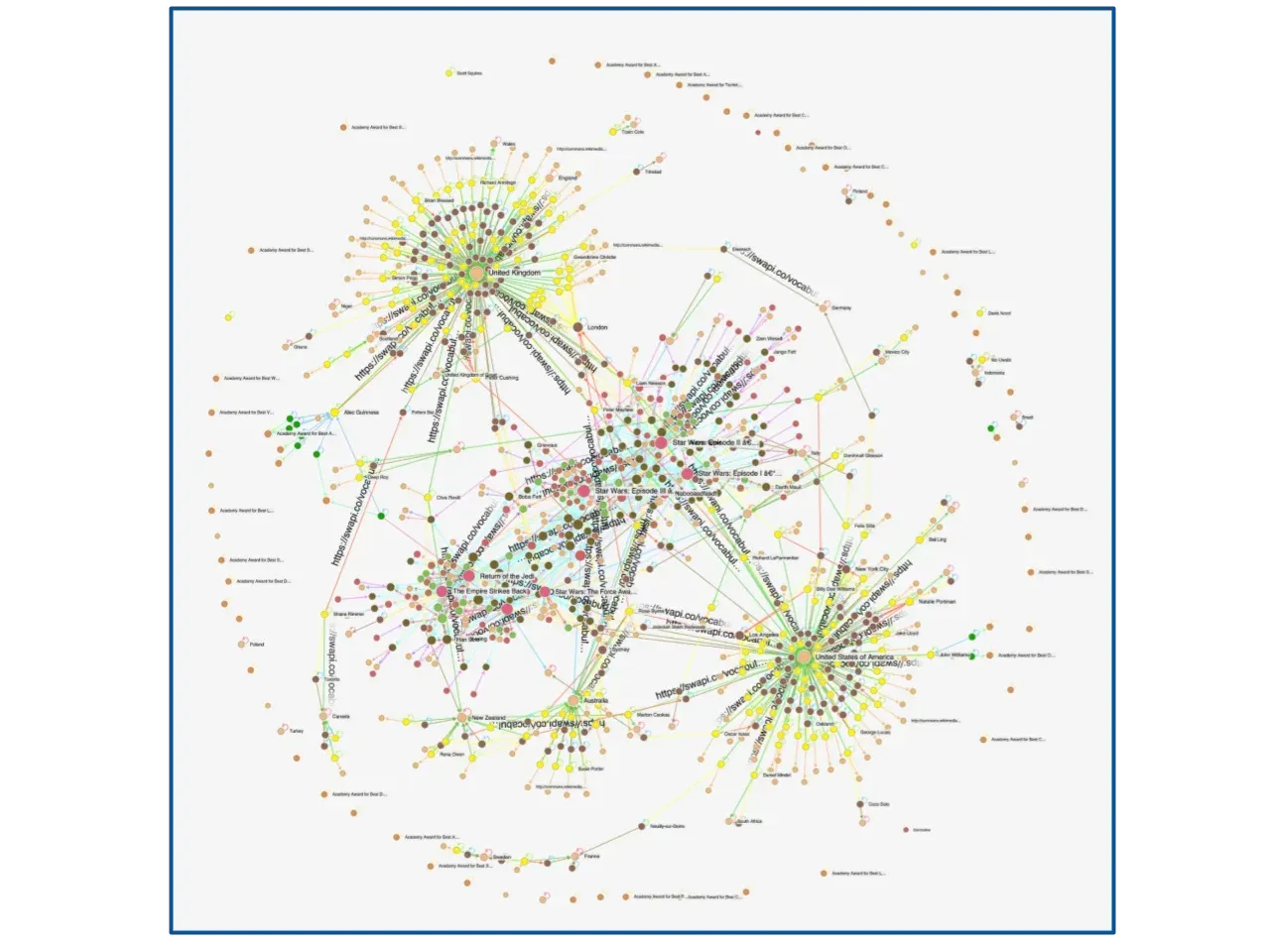
We have rebuilt the graph visualization on SigmaJS v4, the newest generation of the WebGL rendering library that has powered our graph views since 2023 and whose development we are proud to sponsor. The result is a cleaner look that stays smooth as your graphs get larger, and the force layout is now GPU based, so it settles noticeably faster on big result sets while producing tidier arrangements.
We have also streamlined the styling options. The controls you reach for most often are surfaced directly and grouped more logically, so styling a graph takes fewer clicks and less hunting through menus.
Your existing stylesheets carry over and continue to apply automatically to any open visualization, mapped onto the new controls. The main difference you will notice is your graphs looking a little fresher than before.
Simpler, Automatic Data Model Loading
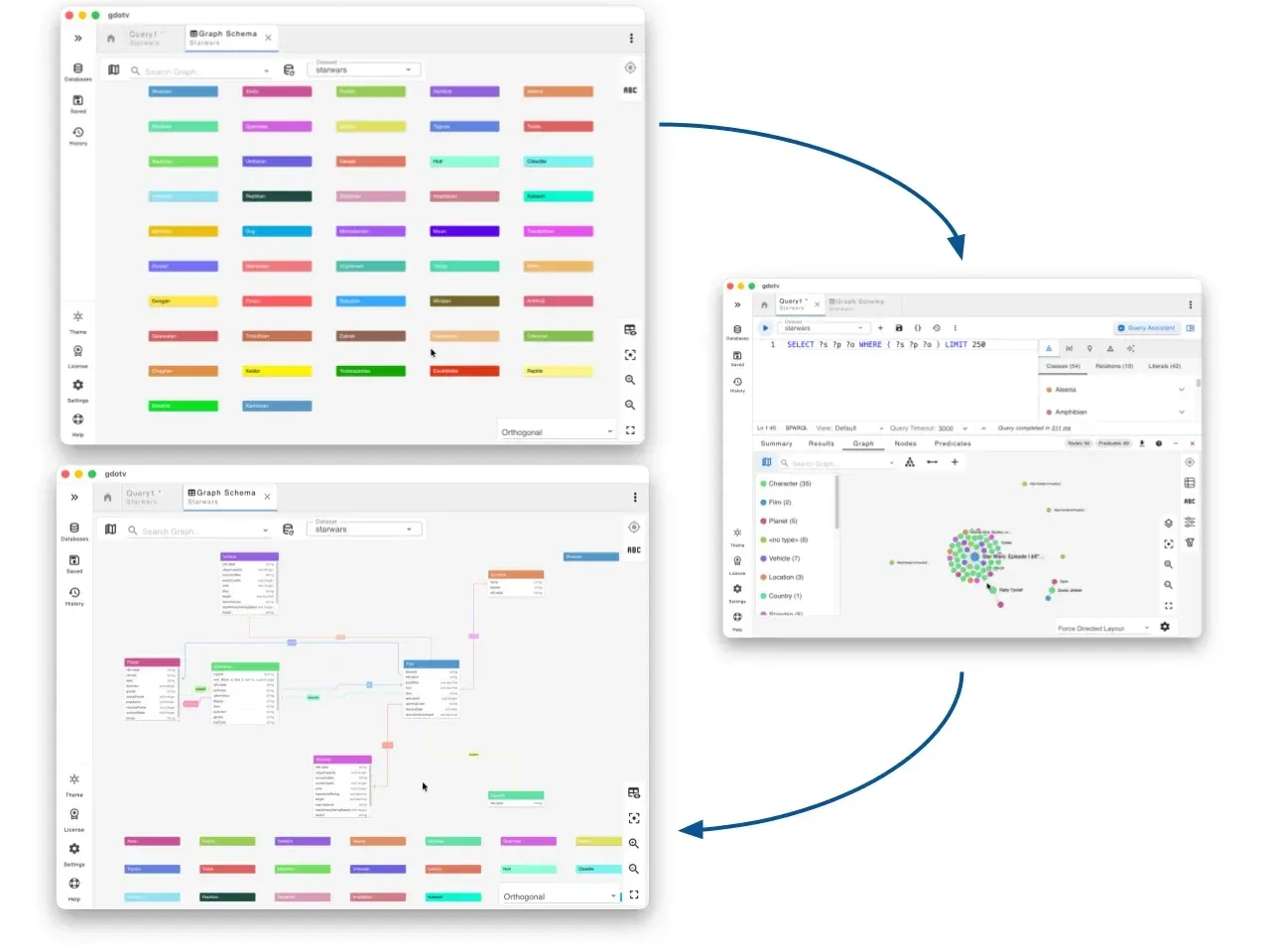
The data model sits behind autocomplete, the schema view, styling and much of what makes gdotv useful, so we have reworked how it is built. Previously you were asked to pick a loading method when setting up a connection. That choice is gone.
gdotv now loads your data model automatically and chooses the most efficient approach for your database on your behalf. It reads directly from a database schema API where one exists, for example the Cypher procedures offered by Neo4j, Memgraph and Neptune Analytics, as this is the fastest and most accurate source.
As you run queries, it inspects the returned data and adds any new labels and properties it finds, keeping the model current as you work.
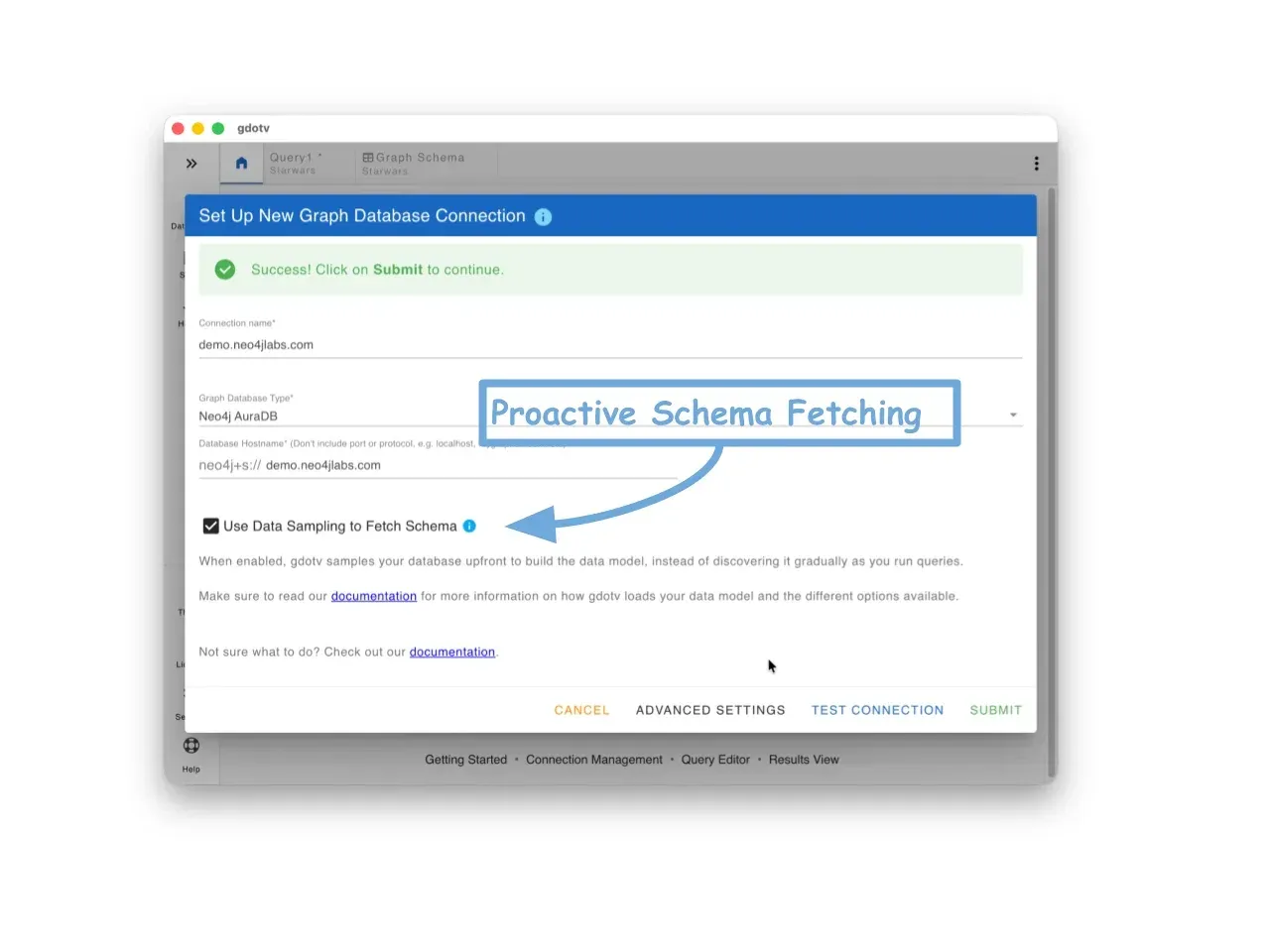
For cases where you want a complete picture straight away, the Edit Connection dialog offers an optional Use Data Sampling to Fetch Schema checkbox. As the in-app description puts it, “gdotv samples your database upfront to build the data model, instead of discovering it gradually as you run queries.”
It is off by default, since a full sample can take time on very large datasets, and you can refresh it at any point by resubmitting the connection.
We have also separated the loading of a database’s declared physical constraints from data-driven discovery, which makes loading more predictable and its state clearer while you connect.
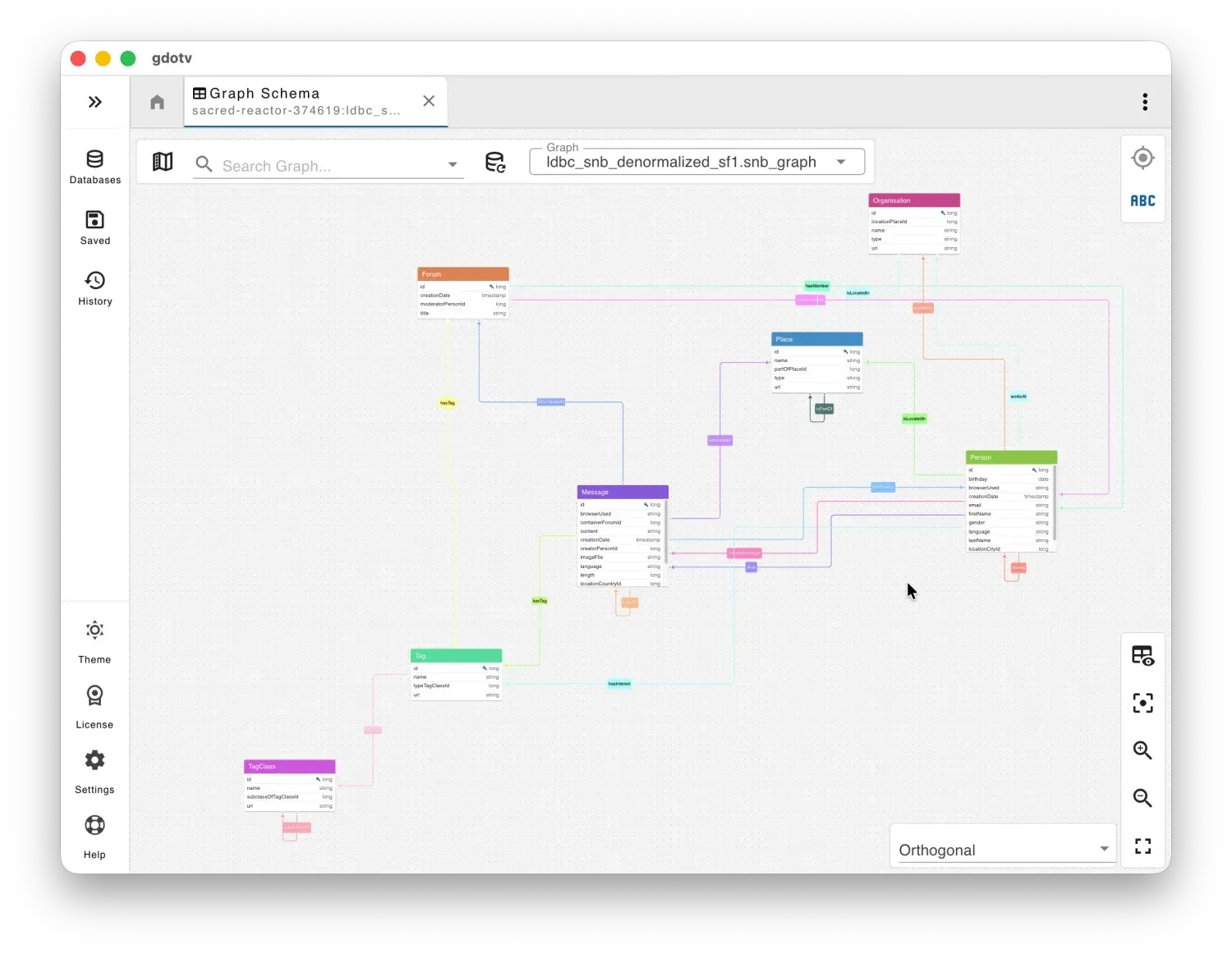
Finally, the schema view gains an orthogonal layout option for cleaner, more readable diagrams of larger models. In practice, connecting to a database now involves one less decision, and your data model keeps itself up to date without any configuration.
Automatic Label Detection
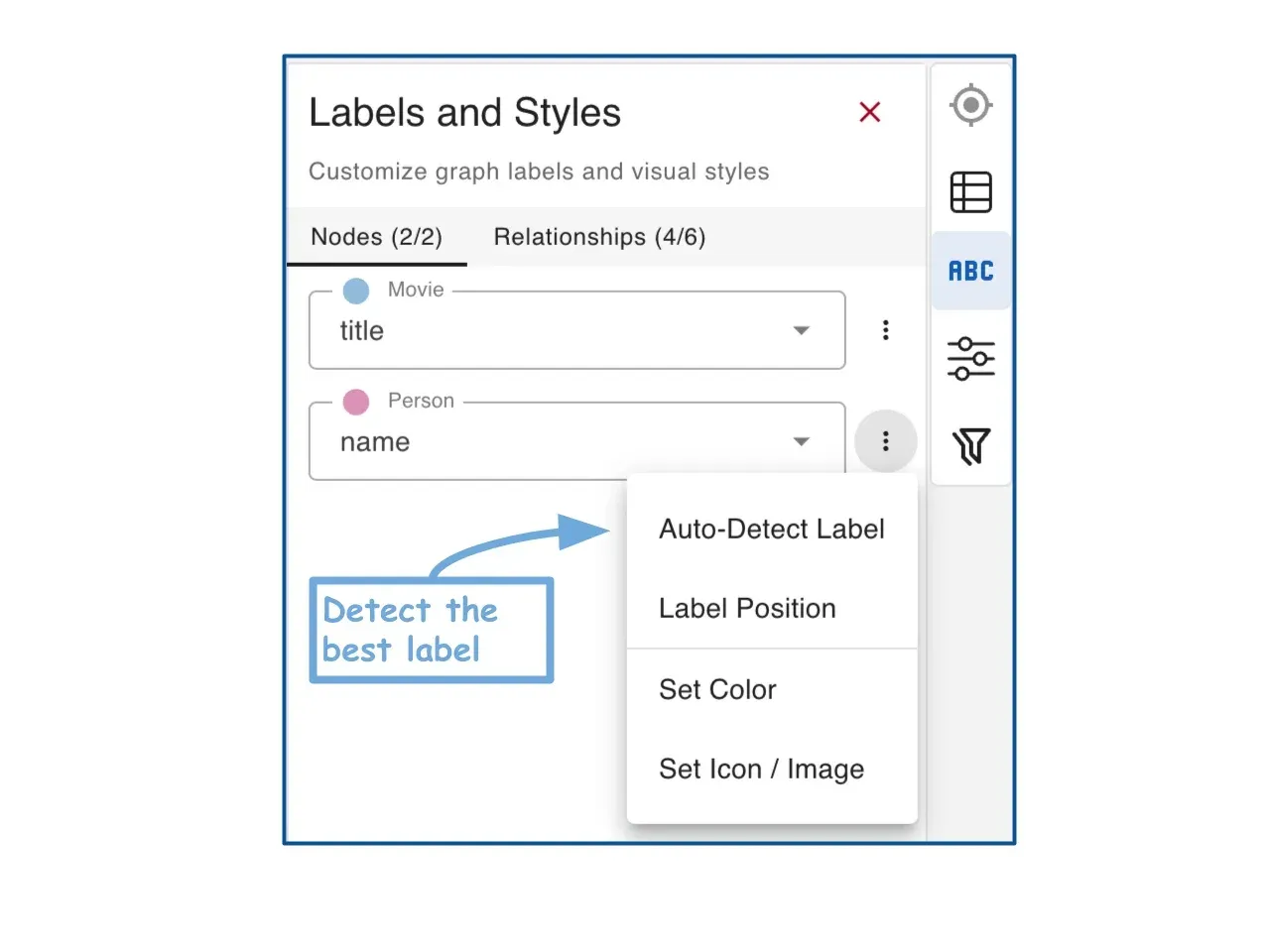
Choosing which property should act as the caption for every label is repetitive work, especially on schemas with many vertex and edge types. gdotv has made an educated guess at this since v3.59.116, but it did so behind a Label Suggestion screen: you reviewed what it proposed, then clicked Apply Suggested Labels to accept it.
That prompt is now gone. gdotv inspects the properties on each label, picks the most meaningful one to display, and applies it without asking you to confirm. If the default label name is already the best choice for a given type, it leaves that type untouched.
None of it is locked in. Every label keeps an Auto-Detect Label option in the Labels and Styles panel, so you can re-run detection on a single vertex or edge label, or override the choice by hand at any point.
Upgrades to Java 25 & pgGraph 0.18.0
Under the hood, gdotv now runs on Java 25, which brings a quicker runtime at a lower memory footprint and benefits every connection and query you run.
We have upgraded our pgGraph support to 0.18.0 to stay current with Evokoa’s graph traversal extension for PostgreSQL. AWS Neptune users also benefit from improved schema loading, which now leverages the graph summary API when it is available for a faster and lighter first connection.
Fixes
We have addressed a number of issues this month:
- BigQuery client caching.
- Sometimes incorrect collection name resolution for AWS Neptune CloudWatch audit and slow query logs.
- The dashboard Image panel not being clickable in Edit mode.
- SPARQL query guardrails not being calculated in certain cases, resolved in the follow-up v3.74.142 patch.
- Proactive schema loading not triggering when swapping between datasets on a multi-dataset connection, also resolved in v3.74.142.
Conclusion
This release is about scale and simplicity. Multi-graph and multi-dataset connections make gdotv a more natural fit for larger, multi-tenant setups, while automatic data model loading and the refreshed graph visualization remove friction from everyday work.
We have more planned for next month and will begin teasing it soon. Until then, update to the latest version of gdotv and see how it fits into your workflow.
About the author

Dr. Seyed Amir Hosseini Beghaeiraveri
Data Scientist
Amir holds a PhD in Computer Science from Heriot-Watt University and recently completed his postdoctoral fellowship in Large-Scale Nested Data Processing at the University of Edinburgh's School of Informatics. He brings several years of experience in graph-based structures and semantic web technologies to the team, with a focus on data processing and validation. As a long-time RDF user, he leads the continuous design and implementation of solutions for RDF/SPARQL users at gdotv.