Tag
AWS
How to run graph workloads on AWS, from Amazon Neptune to S3, with practical guides and expert insights from the team at gdotv.
4 posts
Fill Your AWS Neptune Graph with S3 Data
Follow this quick developer walk-through with gdotv to see how you can use the neptune.read() function to call data from your S3 bucket directly into your AWS Neptune cluster.
Amazon Neptune 101: Creating & Connecting to Your First Cluster [Developer Walkthrough]
How to use Amazon Neptune, step by step: set up a cluster, get into its VPC through EC2 and SSH, configure security groups, and explore your graph in gdotv.
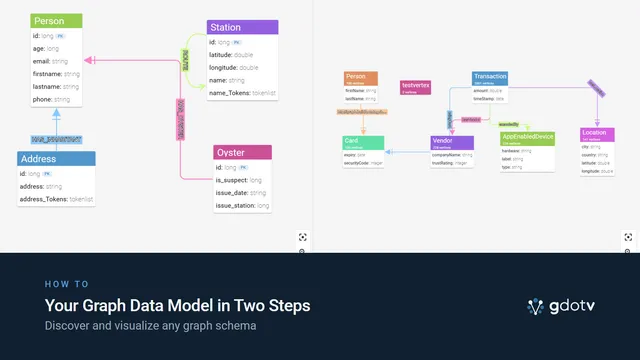
Discover & Visualize Your Graph Database Schema in Just 2 Steps
Stop wondering about changes to your graph data model and start exploring your up-to-date database schema with only a couple of clicks when you use gdotv.
gdotv on AWS Marketplace: Your Favorite Graph DB Client, Now in Your Browser
Learn about the release of gdotv graph database client on AWS and how to get started with a free trial
Our solutions
Whether you're an individual or part of a larger team, there's a version of gdotv that's right for you.
gdotv Desktop
The ultimate graph database IDE.
Install and connect your first graph database in 2 minutes.
gdotv Team
The unified workbench for graph data teams.
Deploy to your team in under 15 minutes. Marketplace or self-hosted.
gdotv Enterprise
The universal graph intelligence platform.
For organization-wide deployments. Bring graph data directly to your analysts.