Comparing gdotv vs GraphDB Workbench
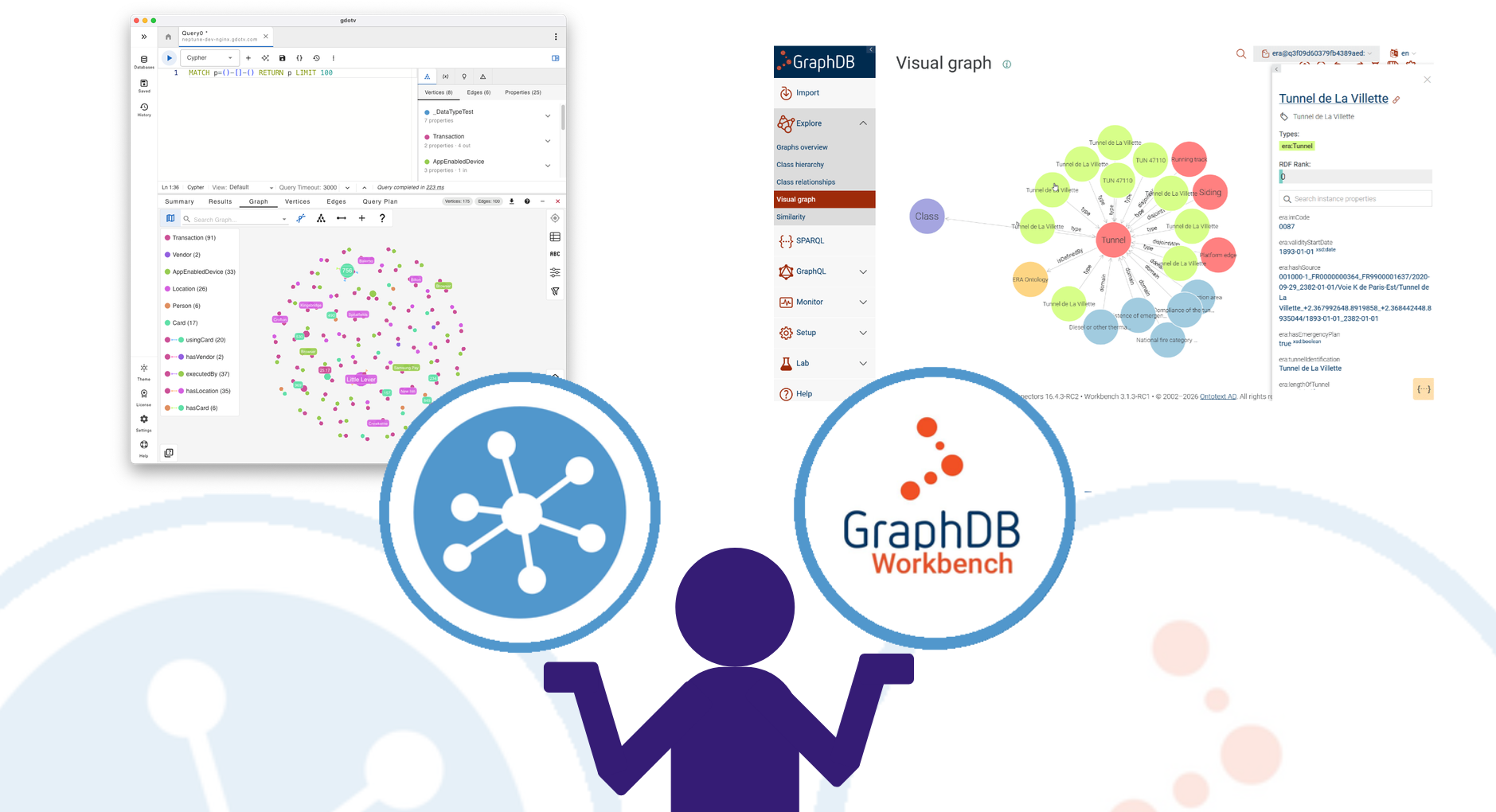
Client Tool Meets Full Platform — Where the Lines Blur and Where They Don’t
Comparing gdotv to the GraphDB Workbench is, in some ways, comparing a scalpel to a full operating theatre. The Workbench is not just a client tool, it is the complete administrative and development interface for one of the world’s most widely adopted RDF triplestores. It covers everything from data import and SPARQL querying to OWL reasoning configuration, SHACL validation, cluster management, user administration, and a natural language chat interface over your graph. gdotv, by contrast, is a client application: a rich, developer-grade tool for querying, visualizing, and exploring graph data across many different databases.
That asymmetry means the comparison must be framed carefully. For teams running GraphDB, the Workbench is not optional and it is the primary interface to the platform. The real question this post answers is: does gdotv offer enough on top of what the Workbench already provides to justify adding it to a GraphDB-based workflow, and conversely, what would GraphDB users be missing if they relied on gdotv alone?
The Tools at a Glance
The GraphDB Workbench is Ontotext’s web-based administration and development interface, bundled directly with every edition of GraphDB. It has been available since the early days of GraphDB and has grown into a comprehensive tool covering the full platform lifecycle. Its SPARQL editor is based on YASGUI,. the widely trusted open-source SPARQL editor, extended with GraphDB-specific features such as inference toggles, owl:sameAs expansion controls, saved queries, and query monitoring. Beyond SPARQL, the Workbench provides a visual graph explorer, a resource browser for viewing and editing RDF triples, import and export pipelines, connector management for full-text and vector search indices, user and role administration, cluster management, SHACL validation, and a natural language chatbot interface called Talk to Your Graph. As of version 11.3, the Workbench has been redesigned to reflect Ontotext’s rebranding to Graphwise, with a cleaner visual identity.
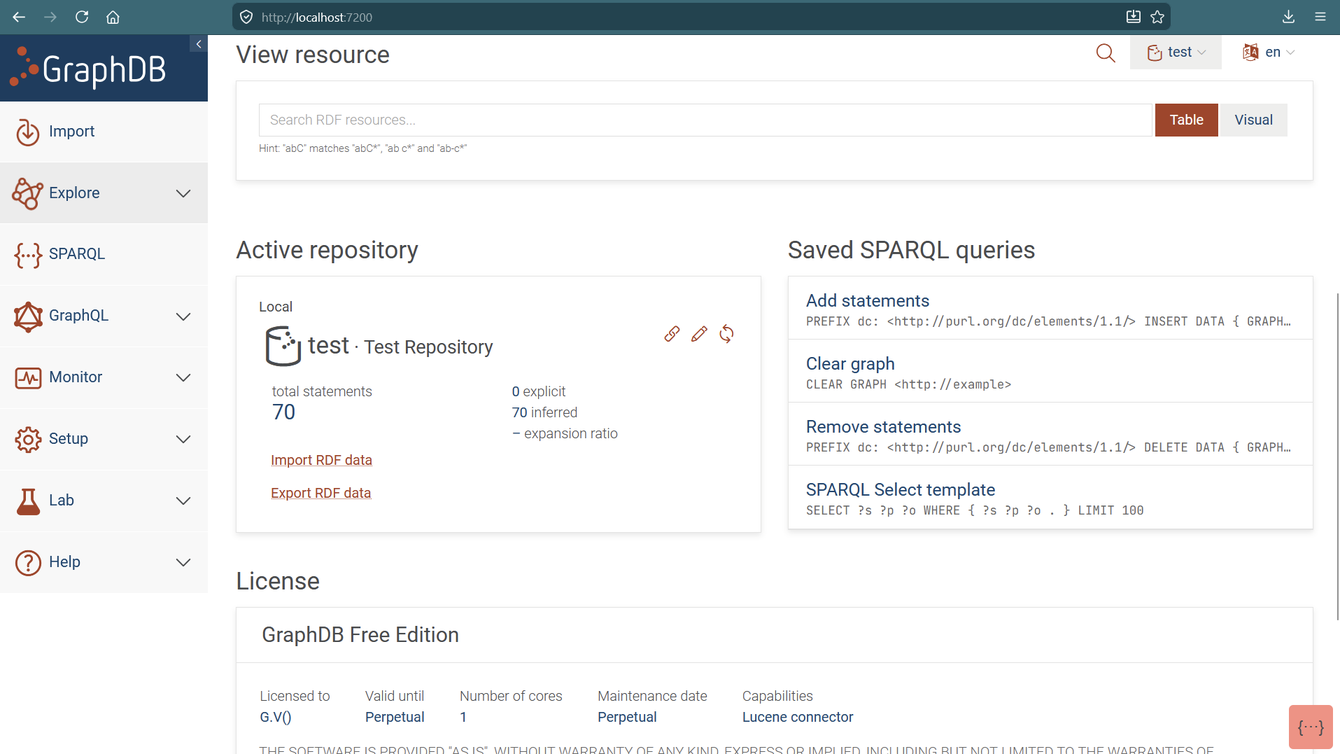
Fig. 1 — The GraphDB Workbench, showing the SPARQL editor with inference controls and the full left-hand navigation
gdotv is a multi-database graph client built for developers and data engineers. It connects to GraphDB as one of many supported RDF triplestores alongside Amazon Neptune, Stardog, AllegroGraph, Virtuoso, Apache Jena Fuseki, RDF4J, and others. Its SPARQL editor goes beyond syntax assistance with a layer of real-time ontology-aware semantic validation (the Query Guardrails feature) that catches semantic errors before query execution. It also provides a no-code Graph Data Explorer, multi-panel Dashboards for visual analytics, and a unified Domain Model drawn from OWL, RDFS, and SHACL metadata. It does not cover GraphDB administration, cluster management, or any server-side operations.
Feature Comparison at a Glance
| Dimension | gdotv | GraphDB Workbench |
| SPARQL query types | ASK, SELECT, DESCRIBE, CONSTRUCT, UPDATE | ASK, SELECT, DESCRIBE, CONSTRUCT, UPDATE |
| SPARQL editor base | Custom — schema-aware, full-featured | Based on YASGUI |
| Inference toggle in editor | No | Yes — per-query include/exclude inferred data |
| owl:sameAs expansion toggle | No | Yes — per-query setting |
| Ontology-aware guardrails | Yes — real-time semantic validation | No |
| SHACL validation | No (consumes via Domain Model) | Yes — full authoring and validation UI |
| OWL reasoning | No | Yes — multiple rulesets, RDFS++ to OWL-Max |
| Visual graph exploration | Yes — multi-layout interactive | Yes — embedded visual graph with filter controls |
| Talk to Your Graph (NL chat) | No | Yes — GPT-4 RAG chatbot over graph data |
| GraphQL endpoint generation | No | Yes — from OWL/SHACL shapes |
| Data virtualization (SQL→RDF) | No | Yes — via Ontop OBDA engine |
| Query monitoring & kill | No | Yes — live monitor with kill running queries |
| System resource monitoring | No | Yes — CPU, memory, storage metrics |
| Cluster management | No | Yes — high-availability cluster UI |
| User/role management | No | Yes — full RBAC |
| Dashboards & visual analytics | Yes — multi-panel charts, gauges, maps | No |
| No-code data exploration | Yes — Graph Data Explorer | Yes — visual graph click-to-expand |
| Domain model (OWL/RDFS/SHACL) | Yes — unified, powers all tooling | Partial — repository schema view |
| Multi-database support | Yes — Neptune, Stardog, AllegroGraph, etc. | GraphDB only |
| Deployment | Desktop app (local/EC2) | Web UI bundled with GraphDB server |
| Free tier | Free trial | Yes — GraphDB Free (license required from v11) |
The SPARQL Editing Experience — More Similar Than You’d Expect, Until It Isn’t
Both tools offer capable SPARQL editors with syntax highlighting, autocomplete, and support for all five query types. For routine query writing, either is serviceable. But the details matter.

GraphDB Workbench’s editor is built on YASGUI, a respected open-source foundation used across many triplestores. What makes it distinctly useful in the GraphDB context is its inference controls. Each query can include or exclude inferred triples with a single toggle which is a critical feature when working with OWL reasoning rulesets, where the distinction between asserted and inferred data fundamentally changes query results. Similarly, the option to expand results over owl:sameAs is configurable per query, giving users precise control over how entity equivalences are resolved at query time. These are GraphDB-specific capabilities that reflect deep integration with the platform’s reasoning engine, and they are not available in any generic SPARQL client including gdotv.
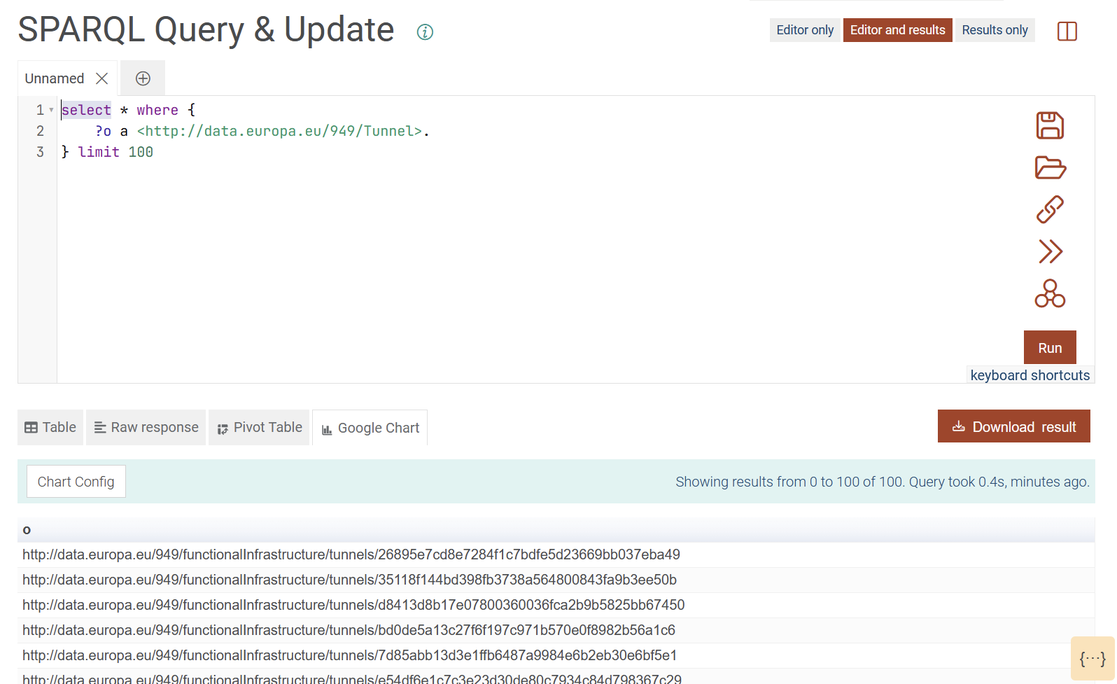

gdotv’s SPARQL editor does not expose inference or owl:sameAs controls. It sends queries to GraphDB’s endpoint as-is and relies on connection-level defaults. This is a genuine limitation for teams whose SPARQL workflows require frequent toggling between inferred and asserted views of the same data. However, what gdotv adds is its SPARQL Query Guardrails layer which is real-time ontology-aware validation that checks the semantic consistency of a query against the dataset’s OWL and RDFS schema as you type. It detects references to non-existent classes or properties, identifies variables inferred to belong to disjoint types, warns about incorrect predicate usage, and surfaces type ambiguity hints. None of this is available in the Workbench’s SPARQL editor. The Workbench will validate your SPARQL syntax, but it will not tell you that your query is semantically inconsistent with the ontology until you run it and get an empty result set.
OWL Reasoning, SHACL, and Ontology Management
This is where GraphDB Workbench has a substantial and largely unmatched advantage for ontology-heavy workflows.
GraphDB supports multiple OWL reasoning rulesets, from lightweight RDFS to RDFS++, OWL-Horst, OWL-Max, and OWL2-QL, and the Workbench allows repository creation with a selected ruleset and provides per-query control over whether inferred data is included in results. This reasoning layer is deeply integrated into query execution itself, meaning that when you run a SPARQL query with inference enabled, the engine applies the full reasoning closure to your results transparently. For a knowledge graph engineer building an ontology-driven application, this integration is invaluable and simply cannot be replicated in a client tool like gdotv.
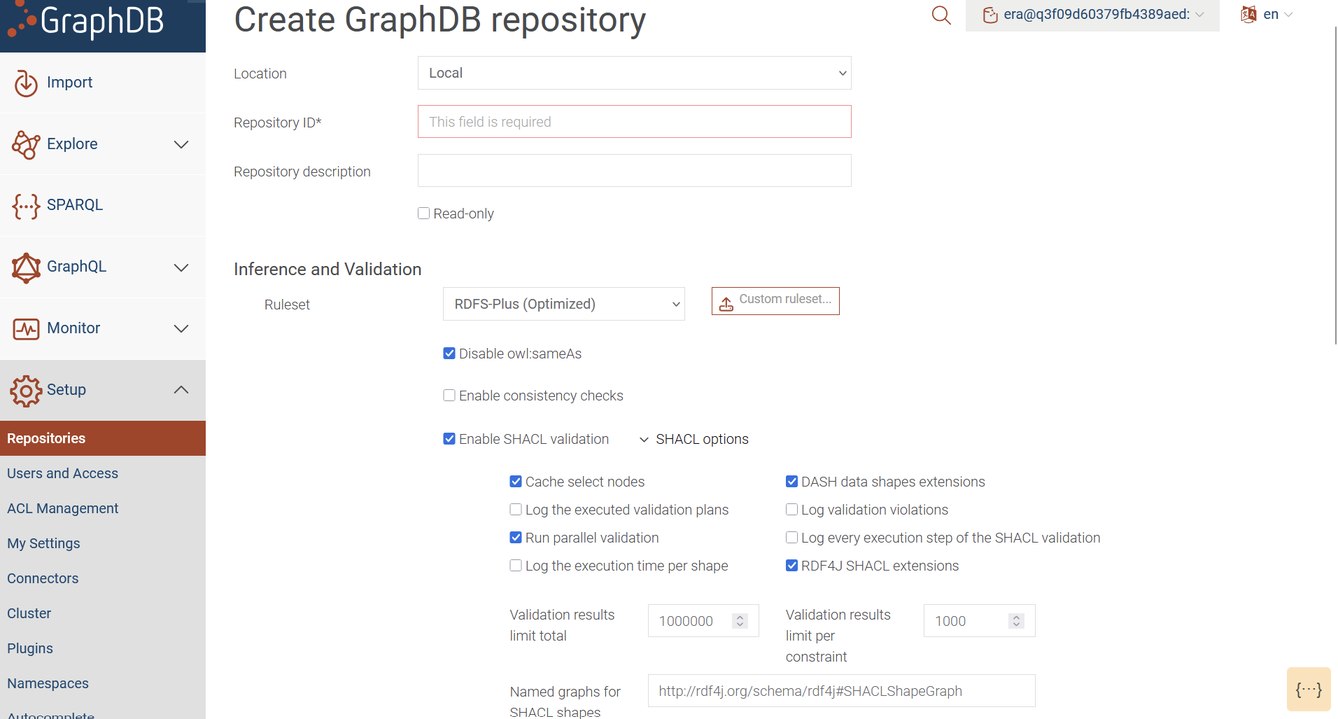
The Workbench also provides a SHACL validation interface. Users can define constraint shapes, run validation against repository data, and review violation reports, all within the Workbench UI. SHACL validation results are themselves RDF triples, making them queryable with SPARQL directly from the editor. gdotv consumes SHACL metadata through its Domain Model to inform autocomplete and guardrail validation, but it does not offer a SHACL authoring or validation environment. If your workflow involves actively writing and iterating on SHACL shapes, or running validation as part of a data quality pipeline, you will need the Workbench.
A notable recent addition to the Workbench is its Talk to Your Graph feature. This feature is a natural language chatbot interface built on GPT-4 that allows users to ask questions about their graph data in plain English. The system uses a RAG (Retrieval-Augmented Generation) architecture, drawing on the graph’s data through a connector to ground the LLM’s responses. Queries generated by the chatbot can be opened directly in the SPARQL editor for inspection and refinement. For non-technical stakeholders who need to extract information from a GraphDB knowledge graph without learning SPARQL, this is a genuinely useful feature. gdotv has no equivalent.
Visual Graph Exploration
Both tools provide interactive graph visualization, though their depth and purpose differ.

The GraphDB Workbench includes an embedded visual graph explorer accessible from the Explore section. Users can start from any IRI, expand its connections, filter by predicate type, and configure which schema namespaces to include or exclude from the view. The visual graph is tightly integrated with the inference engine. You can toggle between showing only asserted triples and showing the full inferred graph, giving a very different picture of the data depending on the ruleset in effect. The graph can also be rendered directly from a SPARQL query result, and saved views can be embedded in external web pages via a URL parameter. For a platform tool, this is a well-featured exploration environment.


gdotv’s visualization goes further on the analytics and configuration side. Multiple graph layout algorithms are supported, node and edge properties are editable inline, and IRI prefixification keeps RDF labels readable across complex ontologies. Its no-code Graph Data Explorer allows path-based traversal with rich property filters, going beyond the click-to-expand model of the Workbench’s visual graph. The Dashboard feature is gdotv’s clearest differentiator in this area. The ability to compose multiple query-driven panels (graph views, charts, gauges, Sankey diagrams, maps, tables) into a single persistent analytical view is something the Workbench does not offer. For teams communicating insights from GraphDB data to business stakeholders, this fills a real gap.
Administration, Monitoring, and Operations
The GraphDB Workbench covers a range of server-side operations that are simply outside the scope of any client tool. Query monitoring shows all currently running queries with execution time and resource usage, and provides a kill button for queries that are consuming excessive resources. System monitoring surfaces CPU, memory, and storage metrics for the GraphDB instance. Repository management covers creating, configuring, and deleting repositories, including virtual repositories for SQL data virtualization via the Ontop OBDA engine. User and role management provides full role-based access control. Cluster management allows teams to configure and monitor high-availability deployments. Connector management controls full-text search, semantic similarity, and vector search indices.
None of these capabilities exist in gdotv, nor should they. In the end, gdotv is a client, not a server management tool. The point is simply that for teams running GraphDB in a production environment, the Workbench is indispensable for operational reasons that go far beyond querying and visualization. gdotv does not replace it, and it was never designed to.
Data Virtualization and GraphQL
Two additional Workbench capabilities deserve mention for teams evaluating the full feature set.
GraphDB’s data virtualization, accessible through the Workbench, allows SPARQL queries to be executed directly over relational databases without replicating data into the triplestore. This is powered by the Ontop OBDA engine, which translates SPARQL to SQL using declarative R2RML or OBDA mapping files. For enterprise teams building knowledge graphs over existing relational infrastructure, this is a compelling capability and it is entirely managed through the Workbench interface. gdotv has no equivalent.
The Workbench also supports GraphQL endpoint generation from existing OWL ontologies and SHACL shapes, providing a REST-friendly API layer over GraphDB data that does not require SPARQL knowledge from application developers. This bridges the gap between the semantic web world and conventional web application development. Again, this is a platform capability exposed through the Workbench, with no parallel in gdotv.
Platform Coupling and Multi-Database Flexibility
The GraphDB Workbench works exclusively with GraphDB. It is not a general-purpose SPARQL client and cannot connect to other triplestores. The depth of its integration with GraphDB’s reasoning, monitoring, and administration features would be impossible to achieve with a generic connection model. But it does mean that organizations running more than one triplestore, or evaluating a potential migration away from GraphDB, cannot rely on the Workbench as their primary querying interface across their full stack.
On the other hand, gdotv connects to GraphDB alongside Amazon Neptune, Stardog, AllegroGraph, Virtuoso, Apache Jena Fuseki, RDF4J, Blazegraph, RDFox, and more. For teams managing multiple graph database technologies, which is common in larger organizations or those running both RDF and LPG databases in parallel, gdotv provides a consistent query and visualization environment regardless of the backend. This cross-database consistency is gdotv’s clearest structural advantage over a platform-specific tool like the Workbench.
Pick This If…
Choose GraphDB Workbench if GraphDB is your triplestore and you need to manage it, not just query it. It is the only tool in this comparison that gives you OWL reasoning control at the query level, SHACL authoring and validation, data virtualization over relational databases, natural language chat over your graph, cluster management, and system monitoring. For ontology engineers, knowledge graph architects, and DevOps teams managing a GraphDB deployment, the Workbench is essential. There is no meaningful substitute for it within the GraphDB ecosystem.
Choose gdotv if you need to query GraphDB alongside other databases without switching tools. If real-time semantic validation during SPARQL authoring is important, gdotv’s guardrails address a gap that the Workbench’s YASGUI-based editor does not. If your team needs self-contained multi-panel dashboards for communicating analytical results from GraphDB data, gdotv fills that gap. And if your developers value a richer query editing experience with deeper autocomplete, schema integration, and visual analytics, gdotv offers a productive complement to the Workbench’s platform management capabilities.
Audience note: For ontology engineers and knowledge graph architects working deeply within GraphDB’s reasoning and constraint ecosystem, the Workbench is irreplaceable. For data engineers writing and maintaining SPARQL across a heterogeneous stack that includes GraphDB, gdotv offers a more consistent and semantically aware editing environment. For DevOps and infrastructure teams responsible for running GraphDB clusters in production, the Workbench’s monitoring and administration capabilities have no equivalent. For business analysts and non-technical stakeholders who need to extract insights from GraphDB without writing SPARQL, the Workbench’s Talk to Your Graph feature is the most accessible starting point.
Bottom Line
The honest answer in this comparison is that for teams running GraphDB, the Workbench and gdotv are not alternatives but complements that address different needs. The Workbench owns server administration, reasoning control, SHACL management, natural language querying, and data virtualization. gdotv owns cross-database consistency, developer-grade SPARQL editing with semantic guardrails, and visual analytics dashboards.
If you are evaluating tools for a new GraphDB deployment, start with the Workbench as it is bundled, deeply integrated, and covers the operational surface that no external client can match. Once the deployment is stable and your engineering team is writing SPARQL regularly, assess whether gdotv’s query guardrails, multi-database reach, or dashboard capabilities justify adding it to the workflow. For many teams, particularly those managing more than one database technology, the answer will be yes.

![gdotv Adds Multi-Graph Connections & Automatic Data Models [v3.74.142 Release Notes]](https://gdotv.com/wp-content/uploads/2026/08/multi-graph-connections-automatic-data-models-gdotv-v3-74-142-release-notes-banner.webp "gdotv Adds Multi-Graph Connections & Automatic Data Models [v3.74.142 Release Notes]")